Key considerations:
- Forward proxies control outbound traffic, protecting the client.
- Reverse proxies control inbound traffic, protecting the server.
- Your choice depends on whether you need control over your requests or inbound traffic.
There are many reasons to work with a proxy server, and they all return to one idea: control over how traffic moves in and out of your environment. That control shifts depending on where the proxy sits in the request flow.
One option is a proxy placed in front of your client device, guiding your requests that leave your network and shaping how your IP address is presented to the outside world. Another option is a proxy positioned in front of a web server, standing between the open internet and the origin server or other backend servers.
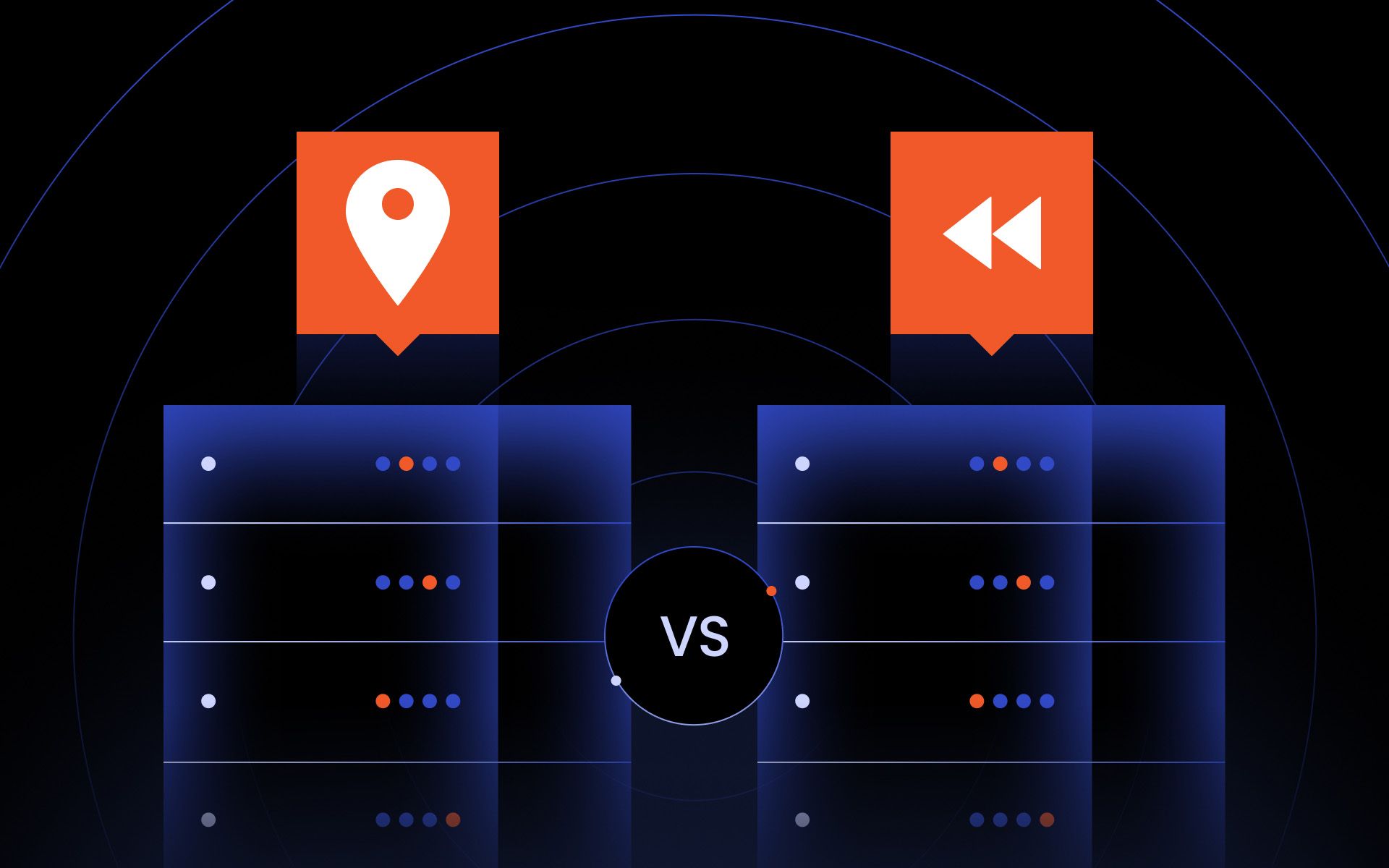
These two placements form the foundation for understanding how forward and reverse proxies differ. In this article, we explain how each one works, why they are used, and what tradeoffs to expect.
What is a forward proxy?
The simplest way to understand a forward proxy is to look at the name. It is a forward proxy because it sits in front of your client device and receives your traffic before anything reaches the internet.
Common use cases of forward proxies
Thanks to the design and structure of a forward proxy, there are many ways you can use one in day-to-day network activity. Here are some of the most common use cases:
- Privacy and IP masking
You can route traffic through a forward proxy server to hide your real IP address and maintain a privacy layer as you browse the internet.
- Geo-routing and location testing
By changing the exit IP address, you can see how your ads appear in different regions or access content that is restricted to specific markets.
- Web scraping and data collection
Forward proxies help you rotate IPs when gathering data from the internet. They help you avoid rate limits and bypass geo-blocks.
- Multi-account management
If you run multiple accounts on social media, ecommerce platforms, or similar services, you can separate them using a forward proxy and assign distinct sticky IPs to each identity.
- Outbound traffic control in organizations
Schools, companies, and institutions often use forward proxies to filter outbound traffic and block websites that do not meet internal policy rules.
- Bypassing network restrictions
You can route traffic through external proxies to get around restrictive networks that block direct access to certain websites.
- Protecting client devices in sensitive environments
Journalists, researchers, and individuals in high-risk regions rely on forward proxies to reduce exposure when connecting to the internet.
What is a reverse proxy?
You have likely seen a reverse proxy in action. When you try to open a website and see a message like:
“Checking your browser before accessing the site…” or "This website is protected by Cloudflare,” that is the reverse proxy server handling the incoming web traffic.
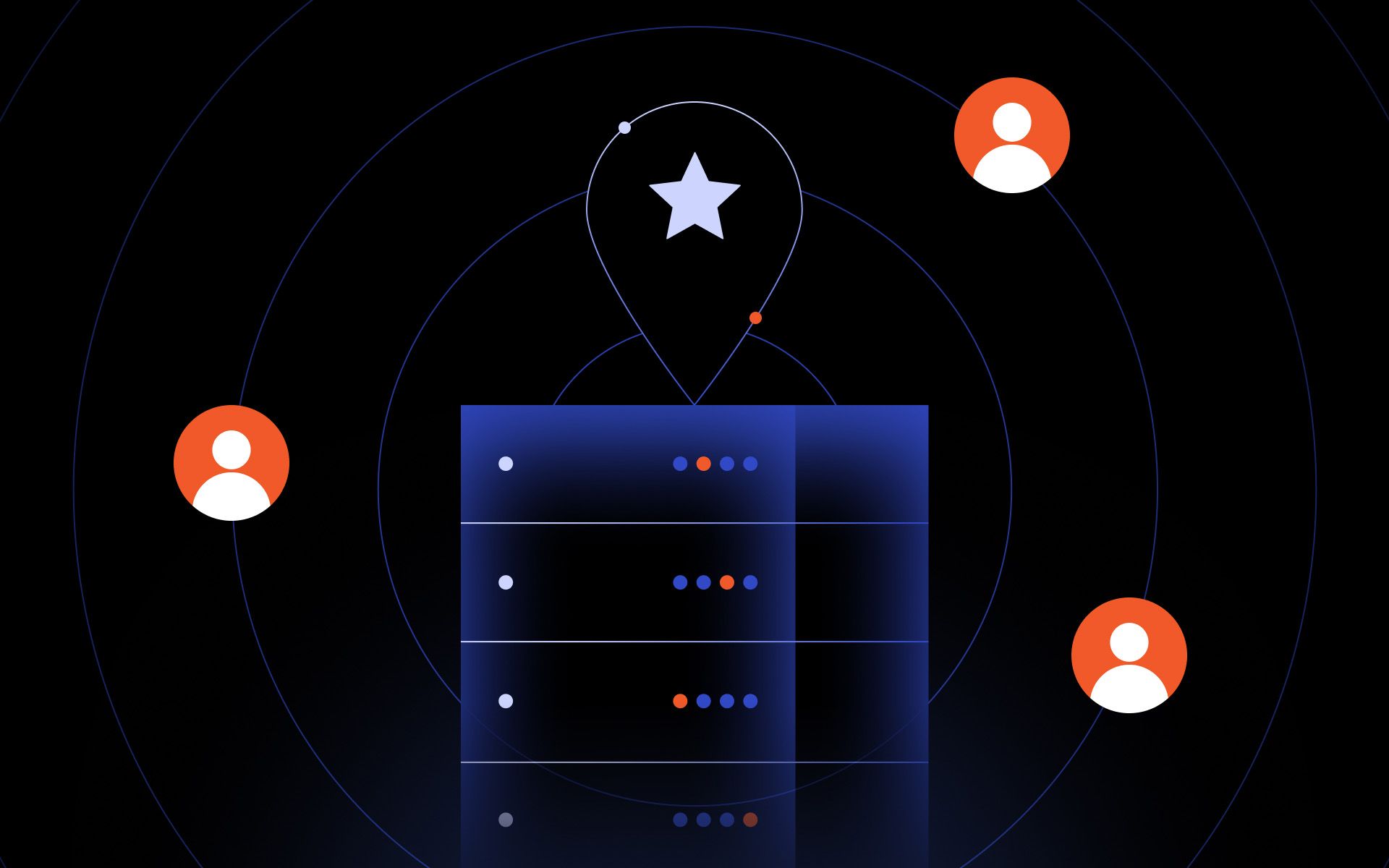
Here, incoming web traffic first reaches the reverse proxy. It then decides which server within the network should receive each request. So while a forward proxy acts as a buffer for your device, a reverse proxy is a buffer for the target server that receives your requests.
Common use cases of reverse proxies
Here are some of the most common use cases:
- Traffic filtering
You can configure an inbound proxy server to filter out content or request types you do not want reaching your origin server.
- Routing requests to the correct backend
If your application relies on several upstream servers, the inbound proxy examines incoming web traffic and sends it to the correct destination based on details such as URL path, hostname, headers, or cookies.
- Caching content
Some inbound proxy systems store copies of frequently accessed content to serve responses directly. This reduces the load on the web server.
- Load balancing
A reverse proxy can distribute client requests across multiple upstream servers according to rules you configure.
- DDoS protection
A reverse proxy helps absorb large volumes of inbound traffic before it reaches your internal environment. By inspecting requests at the edge, it can drop unwanted traffic and shield your systems from common distributed denial-of-service patterns.
- SSL and TLS handling
A reverse proxy can manage the entire encrypted connection, including the TLS handshake. This takes the processing load off the upstream server. Allowing it to focus on generating responses rather than handling encryption.
- Hiding internal infrastructure
Since an inbound proxy sits between the open internet and your upstream servers, it masks your internal IP address structure and prevents direct access to the systems behind it.
Proxy vs. reverse proxy: side-by-side comparison
Sits in front of the client device
Sits in front of the web server
The client
The backend server
Privacy, scraping, geo-routing, outbound access control, identity masking, and routing client requests through different exit nodes
Traffic filtering, routing, caching, load balancing, DDoS protection, SSL termination, and hiding internal infrastructure
Can reduce or increase latency depending on proxy quality, IP pool, and geographic distance. May add overhead when handling many client requests.
Can improve performance with caching and compression. May offload work from upstream servers and distribute load across multiple nodes.
Provides anonymity for clients and allows outbound traffic filtering
Protects servers by absorbing incoming web traffic, applying web application firewall rules, blocking suspicious traffic, hiding the server’s IP address, and controlling access
Residential proxies, datacenter proxies, mobile proxies, ISP proxies, sneaker proxies
Nginx, Apache mod_proxy, HAProxy, Cloudflare, AWS ALB/ELB, Traefik, Envoy
How forward and reverse proxies work
Forward proxy request-response flow
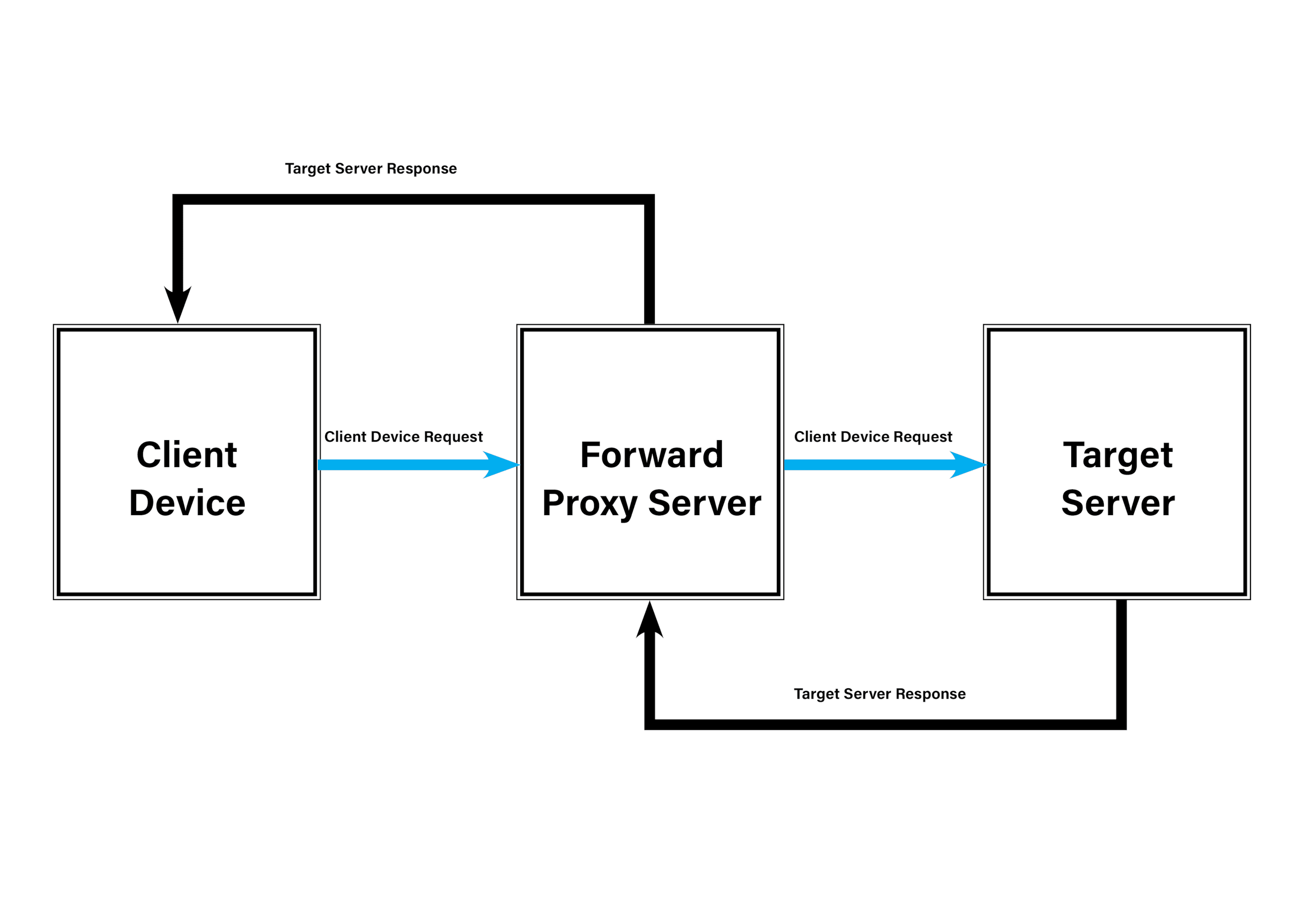
When you set your device to use a forward proxy, the forward proxy server becomes the intermediary between your client device and the target server. Every request you generate is routed through the proxy first. From there, the proxy server evaluates the request based on its configuration. This evaluation can involve:
- Authentication check: Confirming that your username, password, token, or IP address is authorized to use the service.
- Rule checks: Reviewing the request against internal rules to ensure the URL is permitted, the port is allowed, and any bandwidth limits are respected.
- Request completeness: Checking whether the request is correctly formed. With HTTPS traffic, this means verifying the CONNECT method before the proxy creates a secure tunnel.
- Header filtering: Removing headers that reveal your identity and adding headers the proxy needs for routing or policy enforcement.
- IP substitution: Replacing your device’s IP address with the proxy’s IP address, which provides the privacy layer associated with a forward proxy.
- Opening the connection: Establishing a connection with the target web server. For HTTP traffic, this is direct. For HTTPS traffic, the proxy creates a TLS tunnel after the CONNECT step.
After these checks, the proxy forwards the request to the target server. The target server sends its response back to the forward proxy server, which may cache, compress, or filter the data depending on how the forward proxy is configured. Once it finishes handling the target server response, the proxy sends the final response back to your client device.
Reverse proxy request-response flow
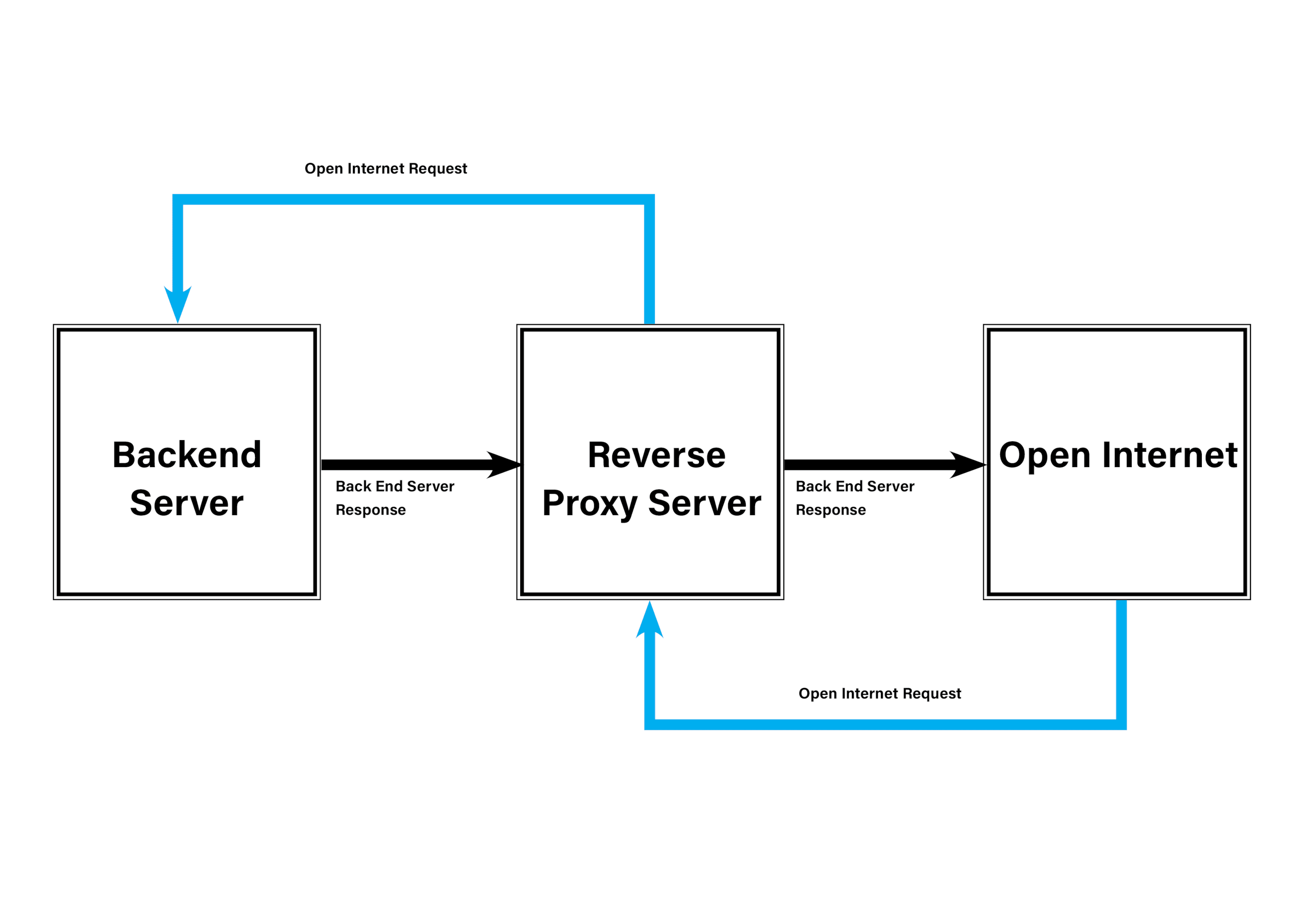
In a setup where a reverse proxy server sits in front of your upstream servers, traffic flows in the opposite direction from a forward proxy. Incoming web traffic from the open internet first flows here. The proxy server then decides how to handle the request before sending it to the appropriate upstream server.
The proxy server may perform several checks at this stage:
- Request validation: It reviews the structure of the request, making sure the headers are acceptable, the size is within limits, and the protocol aligns with what the upstream server supports.
- IP filtering: It can allow or restrict access based on the client’s IP address, ASN, or region.
- Bot filtering: Early screening allows the proxy to detect and remove automated or suspicious traffic before it reaches the origin server.
- Applying firewall rules: It may use its web application firewall to compare the request against established rules and block anything that appears harmful.
- Rate limiting and throttling: The proxy can slow or deny repeated or rapid requests, applying per-IP or per-URL limits to protect upstream servers from unnecessary strain.
- Routing logic: For requests that pass screening, the proxy determines which upstream server should receive them using rules tied to paths, hostnames, or other request details.
- Load balancing decisions: When multiple upstream servers exist, the proxy can act as the load balancer and distribute traffic based on algorithms that maintain system stability.
- Caching logic: The proxy may return cached responses directly to the client when the requested content has not changed and does not need to be regenerated by the upstream servers.
Once these checks are complete, the inbound proxy sends the requests to the upstream servers behind it. The upstream servers process the requests and return their responses to the proxy. At that point, the proxy server prepares the responses according to its configuration and sends them back to the individual client devices on the open internet.
How to choose between a proxy and a reverse proxy
Use a forward proxy if:
- You want to substitute your device’s IP address with the address of the forward proxy server.
- You need IPs from different regions to route your traffic through for geo-targeted tasks.
- You are performing automated tasks like web scraping or managing multi-account workflows, where identity isolation matters.
- You are enforcing outbound access rules inside an organization.
- You want a privacy layer that sits in front of your device when connecting to the internet.
Use a reverse proxy if:
- You want to inspect incoming open internet requests before they reach any backend server.
- You want to screen, filter, rate-control, or apply firewall rules to incoming traffic.
- Your environment relies on several backend servers, and you need routing logic for load balancing.
- You want to offload TLS or SSL handling from the backend servers.
- You want to shield your backend servers from the open internet.
Popular proxy and reverse proxy tools
Residential proxies: Real household IP addresses used for geo-targeting, ad verification, scraping, and identity separation.
Nginx: Handles routing, TLS termination, caching, and connections to upstream servers.
Datacenter proxies: High-speed datacenter-sourced IPs used for large-scale automation, scraping, and high-volume outbound traffic.
HAProxy: Used to distribute incoming requests across backend servers.
ISP proxies: ISP-leased IPs hosted in high-speed datacenters, ideal for login-heavy workflows and persistent sessions.
Cloudflare: Filters bots, enforces WAF rules, caches content, and absorbs DDoS traffic.
Mobile proxies: Mobile carrier-sourced 4G and 5G IPs used when mobile trust signals are required or when sites heavily filter non-mobile traffic.
Traefik: Built for microservices and container environments that update routing automatically.
Sneaker proxies: Specialized IPs tuned for retail sites that enforce strict anti-bot measures during product releases.
AWS Application Load Balancer: Performs path-based routing, TLS offload, and request distribution.
Conclusion
Choosing between a forward proxy and a reverse proxy depends on where you want control in the traffic path. When your priority is shaping outbound traffic, a forward proxy is the option that supports that workflow.
When the need is reversed, and your goal is to manage incoming requests before they reach any backend servers, the right choice is a reverse proxy server. The deciding factor remains simple: whether you need control over outbound activity or a protective layer around your internal environment.
What is the difference between a reverse proxy and a load balancer?
All load balancers are reverse proxies, but not all reverse proxies are load balancers. A reverse proxy sits in front of your backend servers and can filter incoming requests or route traffic to different services. A load balancer is a narrower tool whose main job is to distribute incoming requests across multiple backend servers to maintain consistent performance.
Can a proxy server also act as a reverse proxy?
Yes. A proxy server can act as a reverse proxy if it is configured to handle incoming traffic instead of outbound traffic. The difference is not the software itself but where it sits in the network.
How does SSL/TLS termination work in a reverse proxy?
SSL/TLS termination means the reverse proxy handles all encryption and decryption for incoming HTTPS traffic, so backend servers can focus on processing requests instead of handling cryptography.
What are the security risks of using a reverse proxy?
A reverse proxy becomes the single gate through which all incoming traffic passes, so any weakness or misconfiguration at that point affects the entire environment. If the proxy is set up incorrectly, exposes backend servers, mishandles SSL or TLS settings, or applies the wrong routing rules, those issues apply to every request entering the network.
Is a VPN the same as a proxy?
No, a VPN is not the same as a proxy. A VPN creates an encrypted tunnel between your device and the VPN server for all traffic, while a proxy acts as an intermediary, intercepting your requests and forwarding them to the target with any modifications applied.