Setting up proxies in the Safari browser takes only a few steps. You can easily set up a proxy connection in Safari browser on Macs and iPhones using the guide below. We also explain how to verify the proxy server IP and how to troubleshoot in case you run into trouble.
How to set up a proxy in Safari on Mac
1. Open the Safari browser.
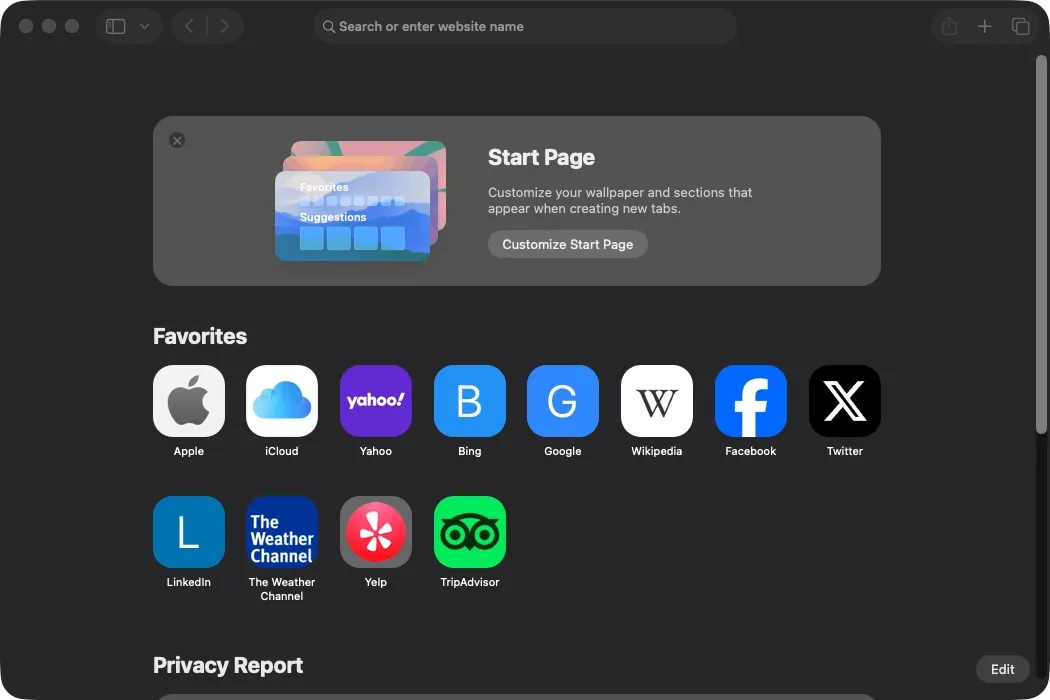
2. In the top menu bar, click on ‘Safari’ (1) and select ‘Settings’ (2).
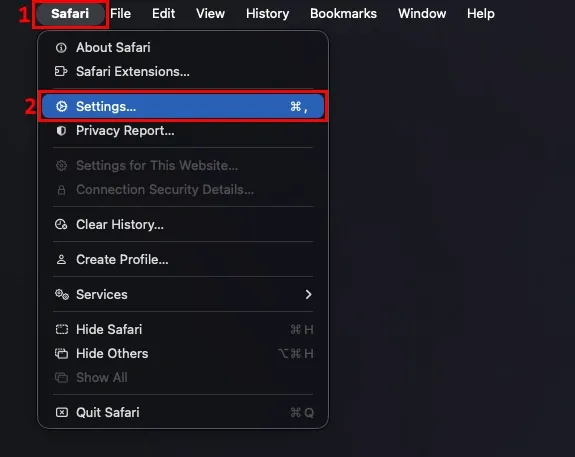
3. Navigate to the ‘Advanced’ (3) tab, and click the ‘Change settings…’ (4) button next to ‘Proxies’ at the bottom of the list.
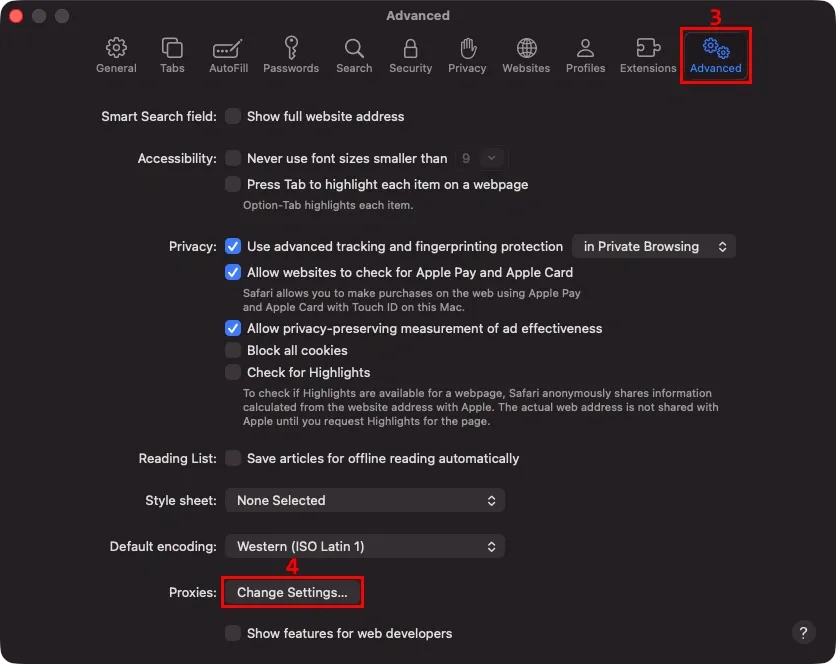
4. This will open the proxy settings for your active connection. Enable the proxy type you want to use. We’ll go with ‘Secure web proxy (HTTPS)’ (5).
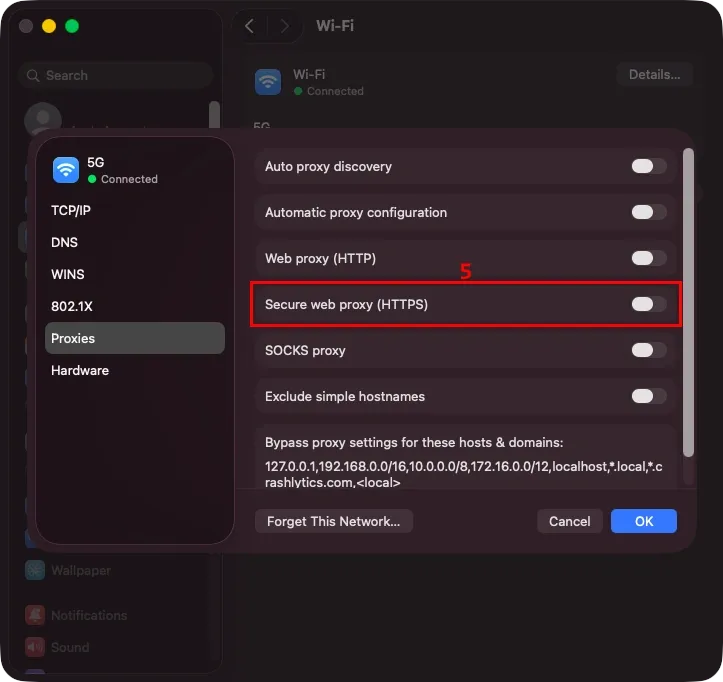
5. Enter your proxy server and port (6) from the MarsProxies dashboard and tick the ‘Proxy server requires password’ (7) option.
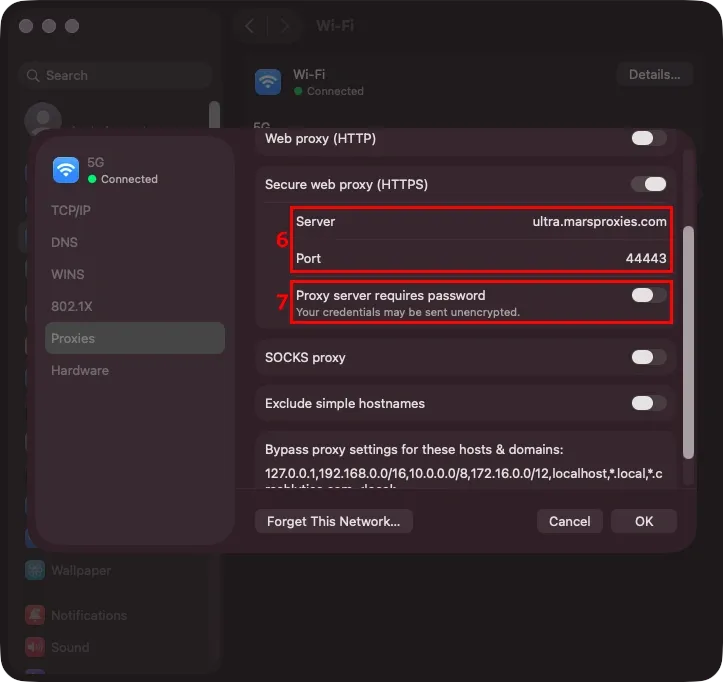
6. Enter your proxy username and password (8) and click the ‘OK’ (9) button to save your settings.
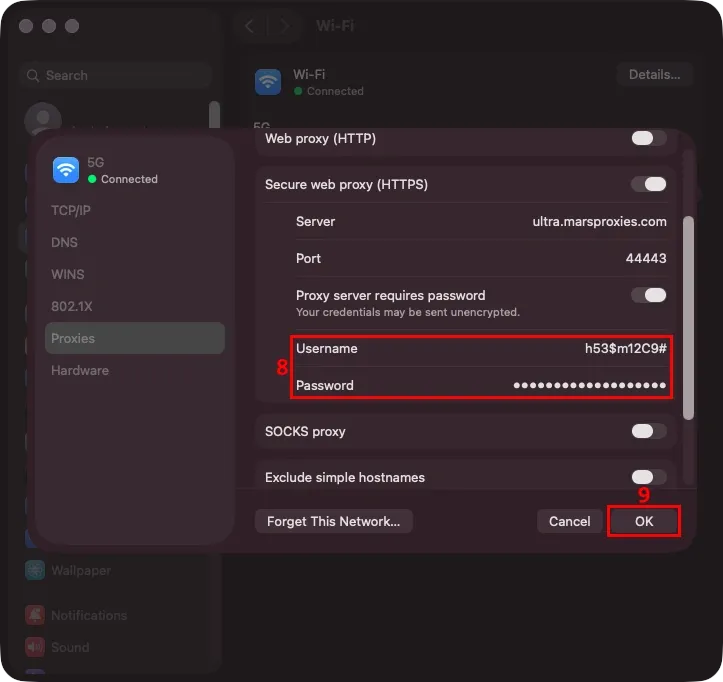
Now, all of your internet traffic from the Mac goes through the chosen proxy server.
How to set up a proxy in Safari on iPhone
1. Open iPhone ‘Settings’ (1).
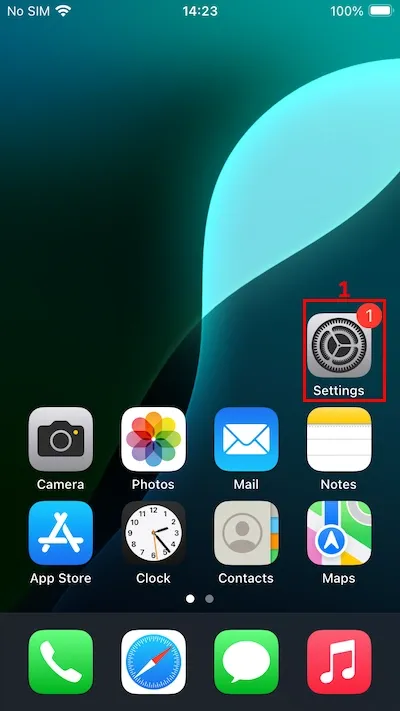
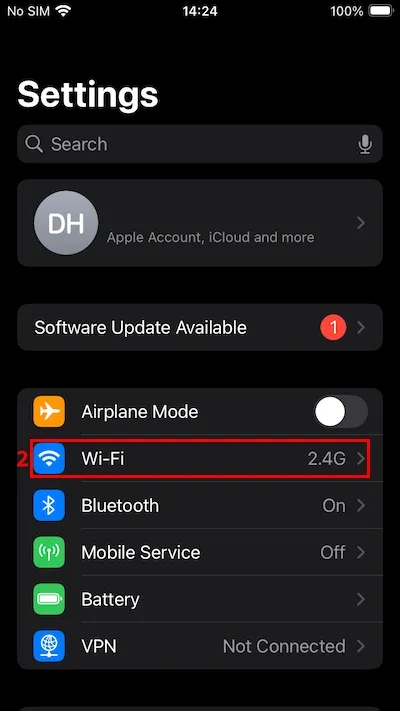
2. Tap on ‘Wi-Fi’ (2).
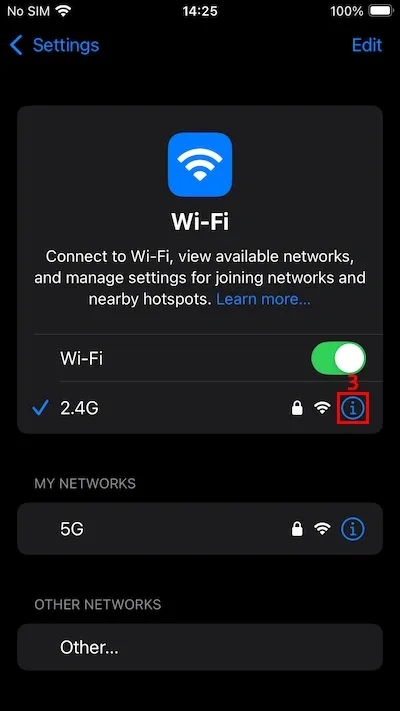
3. Tap on the blue ‘i’ icon (3) next to your active connection.
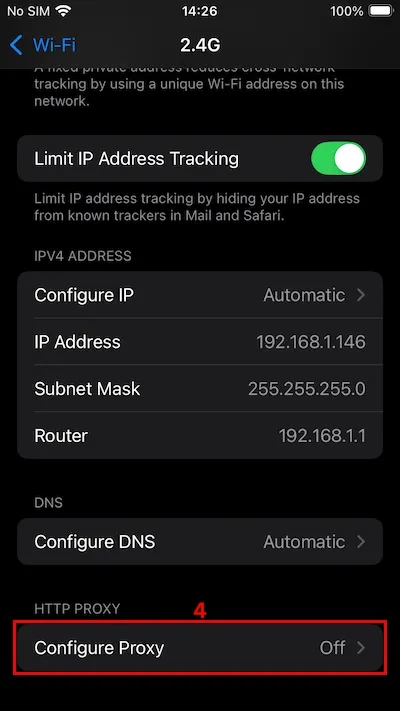
4. Scroll down to the ‘Configure Proxy’ (4) option and tap on it.
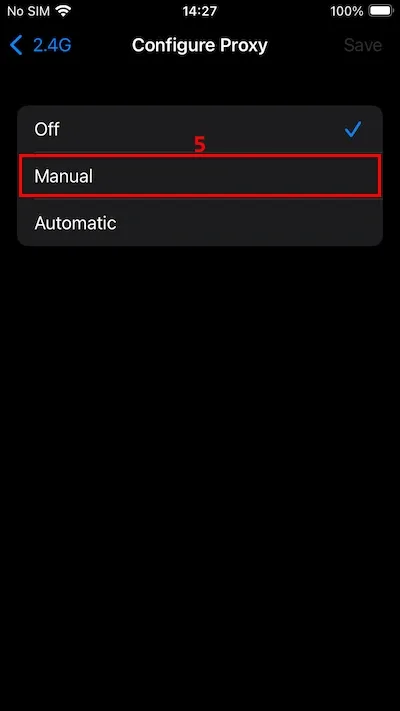
5. Tap on ‘Manual’ (5).
6. Enter your proxy server and port (6) from the MarsProxies dashboard and tick the ‘Authentication’ (7) option.
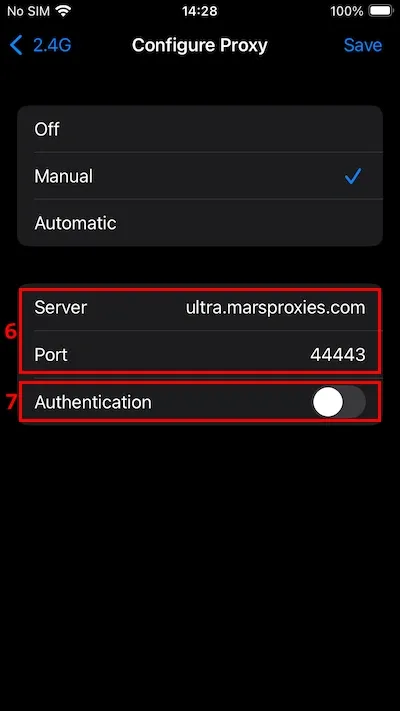
7. Enter your proxy username and password (8) and tap the ‘Save’ (9) button to save your settings.
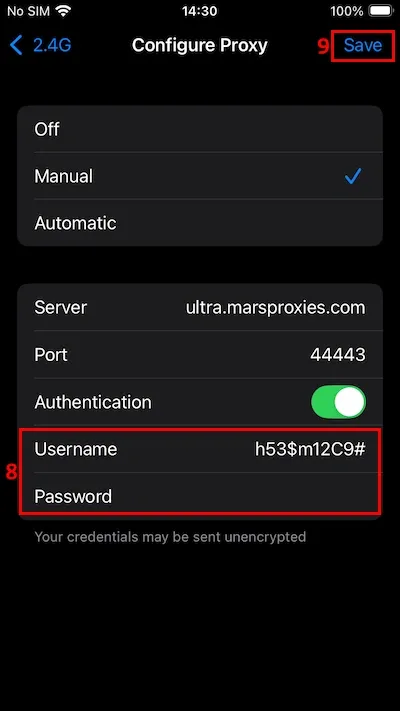
Keep in mind that this is a system-wide proxy setup, and your iPhone uses the proxy server IP for all online activities.
Using PAC (Proxy Auto Config)
You may also skip the manual setup if you have a Proxy Auto Config file (PAC). The flow is the same for both Macs and iPhones.
Whenever you reach the proxy configuration screen (step 4 for Macs and step 5 for iPhones), choose the 'Automatic' option. In the URL field, paste the address of your PAC configuration file and then click OK to save the proxy setup.
How to disable a proxy in Safari
Here's how to terminate the proxy connection on Macs and iPhones.
On Mac
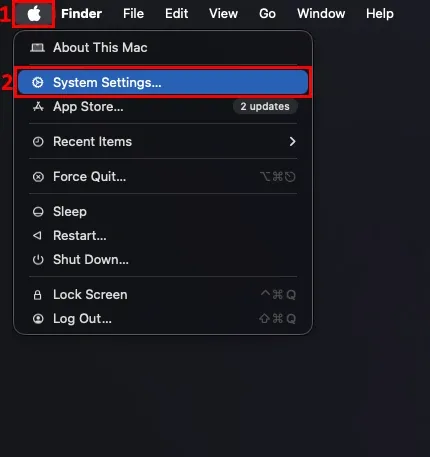
1. Click the Apple logo (1) in the top menu bar and select ‘System Settings’ (2).
2. Click on ‘Network’ (3) and then your active connection type (4).
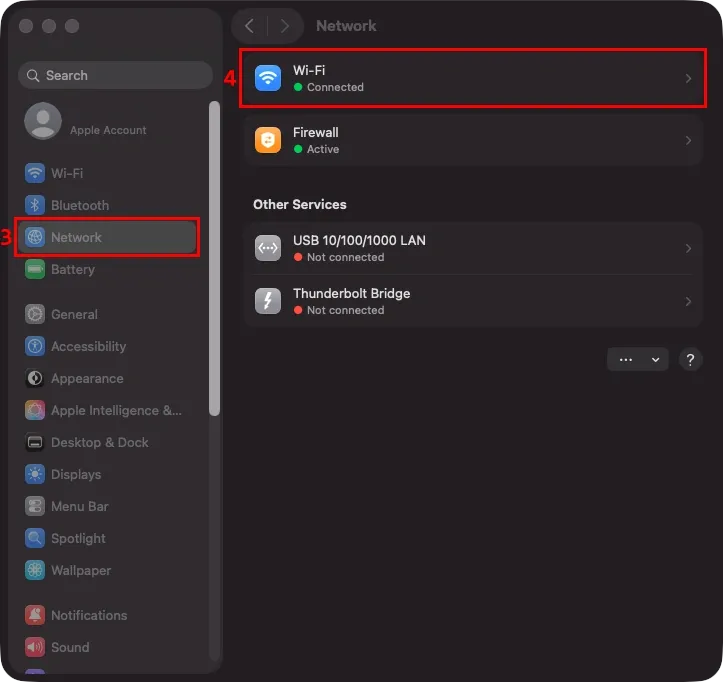
3. Click the ‘Details…’ (5) button next to your active connection.
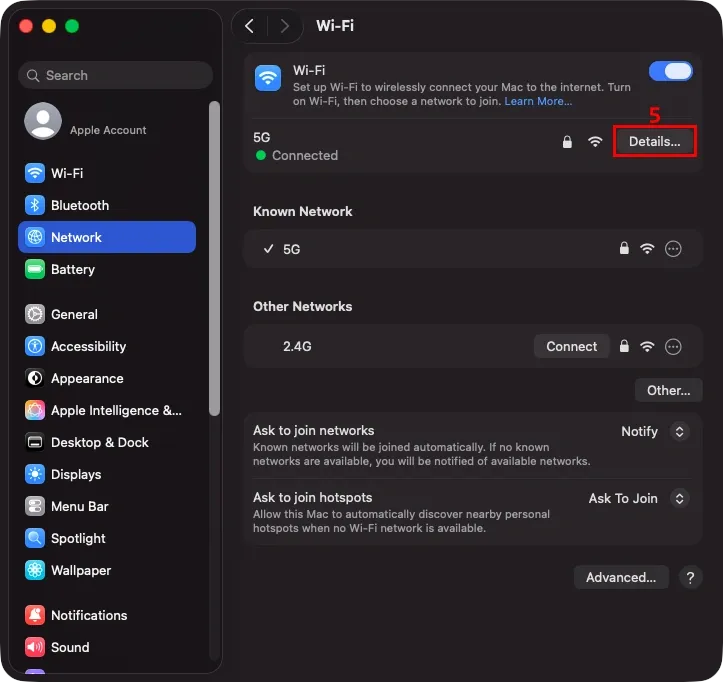
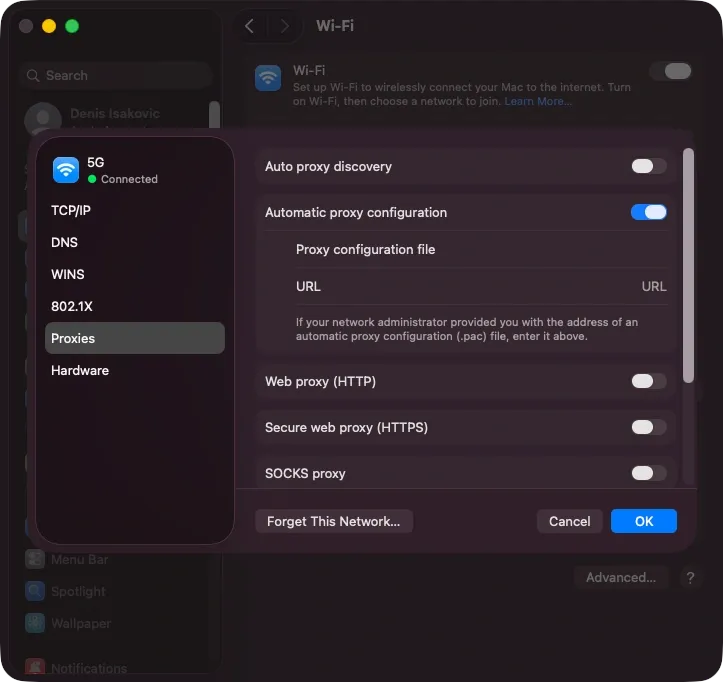
4. Click on ‘Proxies’ (6) in the side menu.
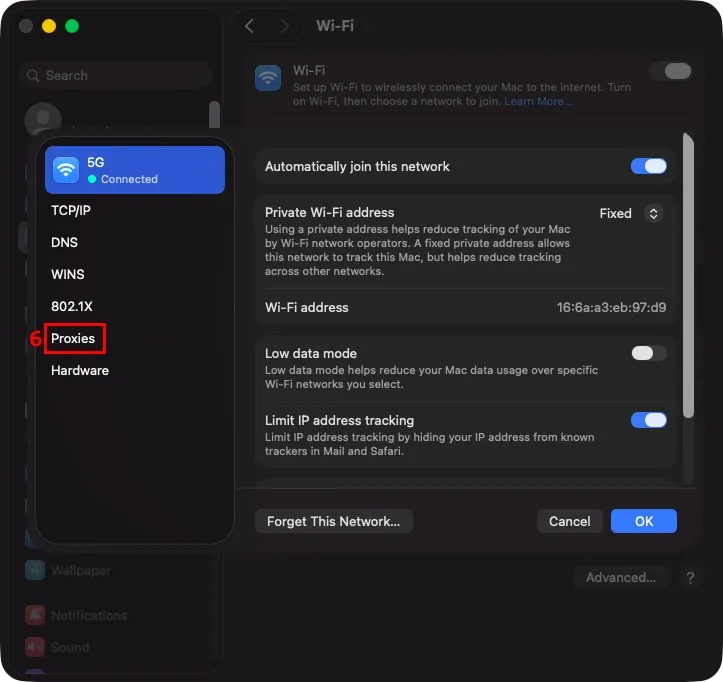
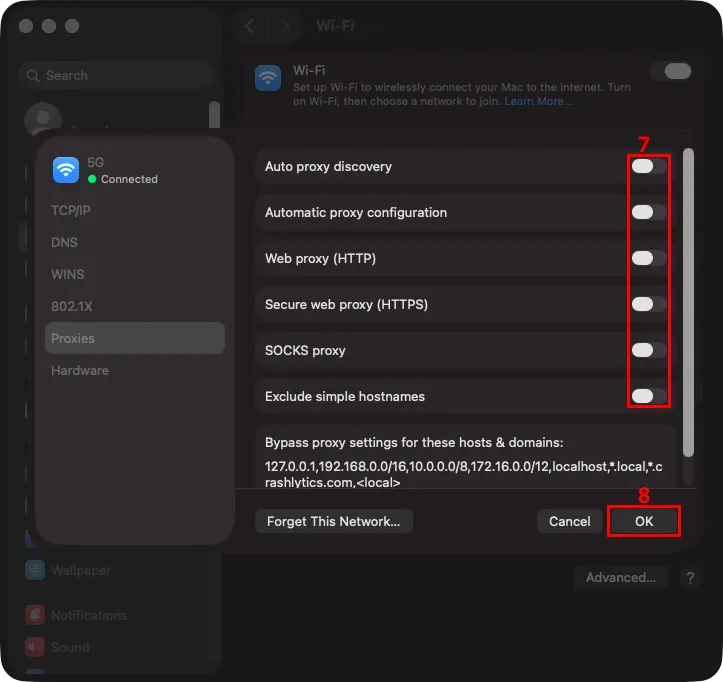
5. Make sure all proxy types are disabled (7) and click ‘OK’ (8) to save your settings.
On iPhone
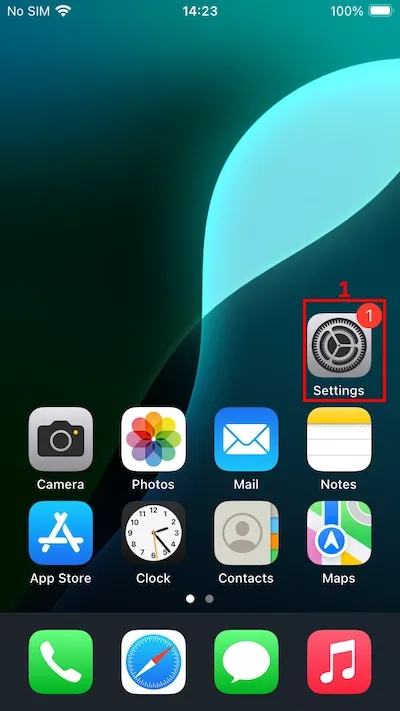
1. Open iPhone ‘Settings’ (1).
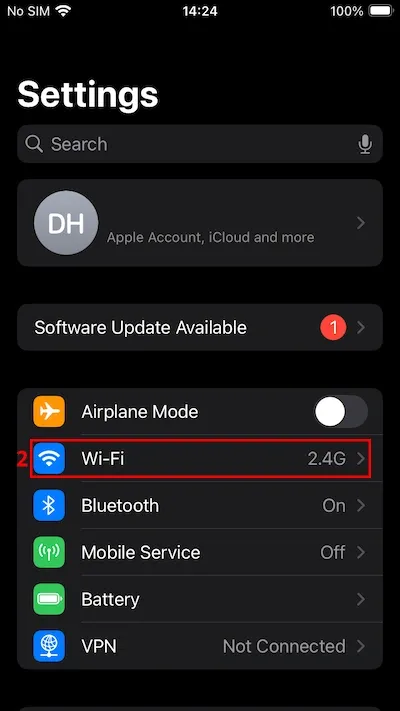
2. Tap on ‘Wi-Fi’ (2).
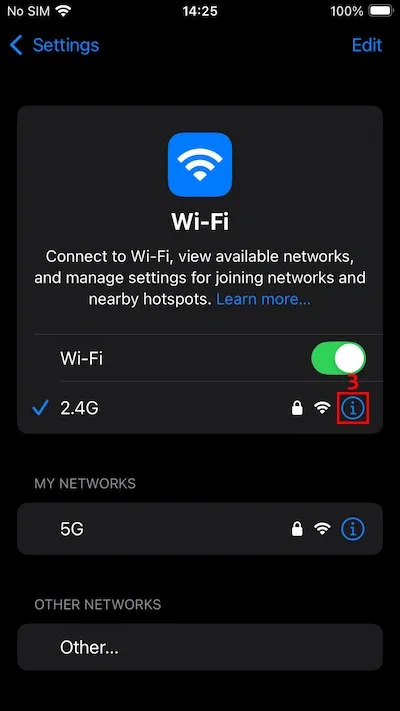
3. Tap on the blue ‘i’ icon (3) next to your active connection.
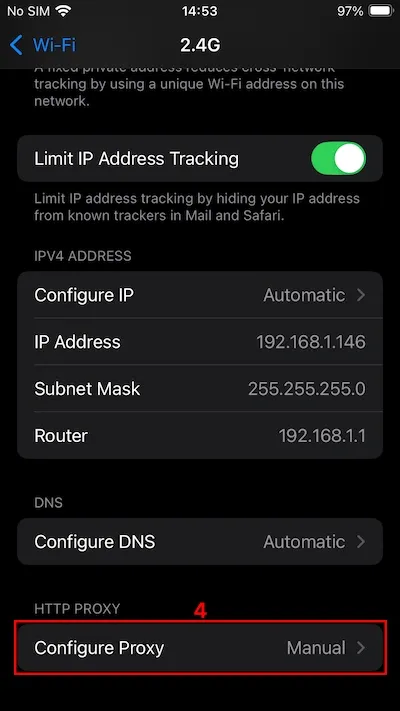
4. Scroll down to the ‘Configure Proxy’ (4) option and tap on it.
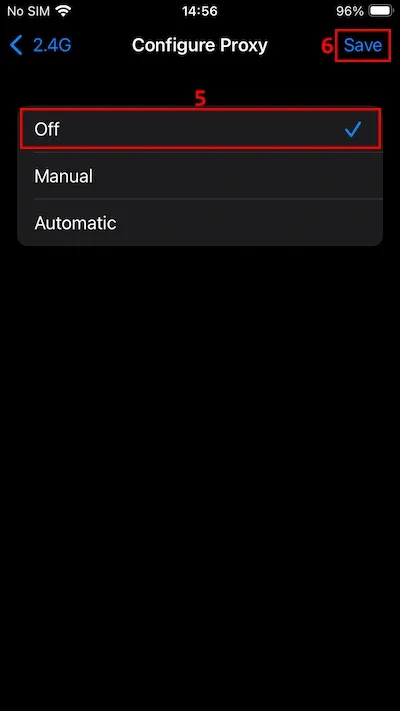
5. Tap on ‘Off’ (5) to clear all proxy configurations, and then tap the ‘Save’ (6) button to finalize.
How to check if Safari proxy is working
Verifying that your proxy settings are correct and that you are now connected to a proxy server is very easy. After you have changed the proxy system's settings, simply visit IP lookup websites, like WhatIsMyIPAddress.
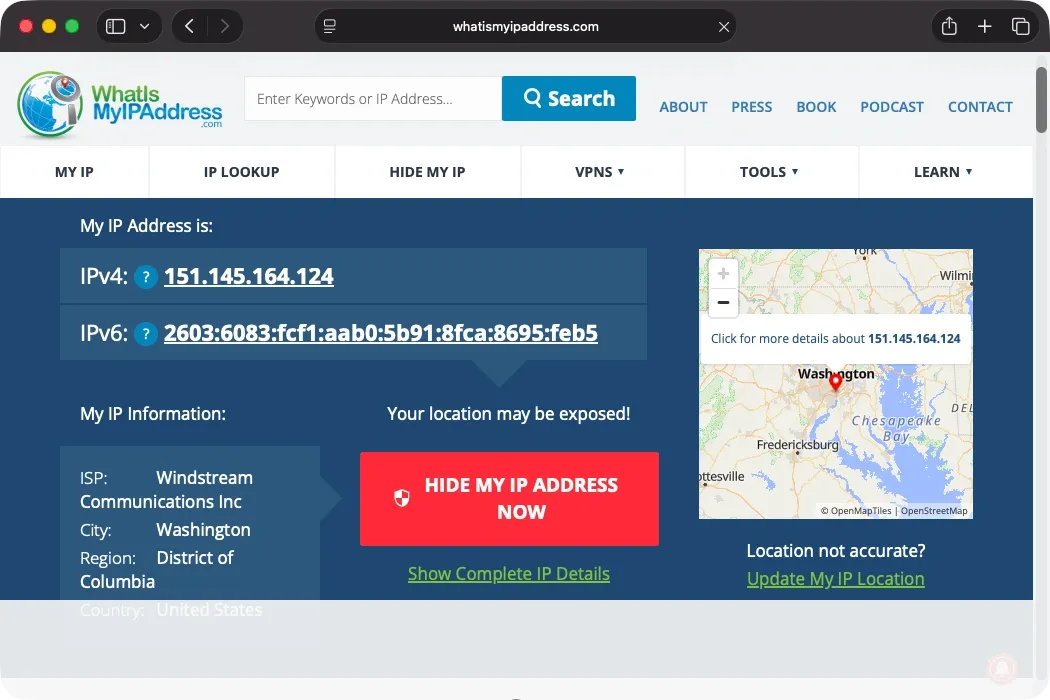
You should see the IP address of the proxy server you have connected to. As you can see from the screenshot above, we have an IP address in Washington, although we are not physically located there.
How to fix Safari proxy issues
You will notice immediately if something is wrong with your Safari proxy settings. The browser will fail to connect to the internet at all - many times because of the simplest mistakes.
Here's how to identify and fix common proxy server errors before contacting your proxy provider for assistance.
Incorrect credentials
Proxy server credentials have letters, numbers, and symbols, and you must input everything correctly in the system preferences. If you miss a single detail, your device cannot connect to a proxy server at all, and it immediately displays errors. If you enable authentication, carefully verify the username and password combination.
Conflicts with VPN
Both proxies and VPNs reroute user traffic through their servers. If you have both enabled on an Apple device, your Safari browser will have issues routing traffic. Unlike VPNs, proxies on iOS and macOS have a lower priority. Your device will be unable to find the proxy server, since VPN already encapsulates it in encryption.
Firewall or network restrictions
Even if you set up everything perfectly, you may still see errors in your Safari browser, especially on workplace or university networks. Such networks set up their own proxies and firewalls to control incoming and outgoing traffic. For example, you may not be able to access online video games or social networks, or you may not be allowed to use a proxy in the first place.
Conclusion
Setting up proxies in the Safari browser is effortless and doesn't require a Mac or an iOS proxy app. But keep in mind that Apple's devices apply proxy settings system-wide, so all of your traffic will go through the proxy. While that's great to bypass online geographical restrictions, it may interfere with services that don't like frequent IP changes, like PayPal or Revolut.
FAQ
Why use a proxy in Safari?
By switching to an IP address in a different country, you can make your Safari Browser display content that is exclusive to that region. It lets you unblock streaming content that is not available where you reside, or overcome network and geographical-level restrictions and censorship.
Safari proxy vs VPN: what is the difference?
The main Safari proxy vs VPN difference is that proxies do not encrypt online traffic by default. Another aspect is that residential proxy servers use genuine devices, whereas VPN servers are typically located in data centers.
Can I use free proxies with Safari?
Yes, but you will likely run into issues that will degrade your browsing experience. Free proxies often have slow connection speeds, so they aren't suitable for streaming. Some proxies also collect and sell user data, undermining your privacy.