Free Proxy List 2026
Free HTTP, HTTPS, SOCKS4, and SOCKS5 proxies - regularly verified. Filter by country, protocol, and anonymity. No sign-up needed.
'%3e%3cmask%20id='mask1_11961_3819'%20style='mask-type:luminance'%20maskUnits='userSpaceOnUse'%20x='2'%20y='2'%20width='20'%20height='20'%3e%3cpath%20fill-rule='evenodd'%20clip-rule='evenodd'%20d='M2%202.1792H22V21.8088H2V2.1792Z'%20fill='white'/%3e%3c/mask%3e%3cg%20mask='url(%23mask1_11961_3819)'%3e%3c/g%3e%3cg%20clip-path='url(%23clip0_11961_3819)'%3e%3cpath%20d='M21.6%2012.4063C21.6%2011.6972%2021.5364%2011.0154%2021.4182%2010.3608H12V14.2336H17.3818C17.1455%2015.479%2016.4364%2016.5336%2015.3727%2017.2427V19.7608H18.6182C20.5091%2018.0154%2021.6%2015.4517%2021.6%2012.4063Z'%20fill='%23F05929'/%3e%3cpath%20d='M12%2022.1793C14.7%2022.1793%2016.9637%2021.2884%2018.6182%2019.7611L15.3728%2017.2429C14.4818%2017.8429%2013.3455%2018.2066%2012%2018.2066C9.40003%2018.2066%207.19094%2016.452%206.40003%2014.0884H3.07275V16.6702C4.71821%2019.9338%208.09094%2022.1793%2012%2022.1793Z'%20fill='%2334A853'/%3e%3cpath%20d='M6.4%2014.0791C6.2%2013.4791%206.08182%2012.8427%206.08182%2012.1791C6.08182%2011.5154%206.2%2010.8791%206.4%2010.2791V7.69727H3.07273C2.39091%209.04272%202%2010.5609%202%2012.1791C2%2013.7973%202.39091%2015.3154%203.07273%2016.6609L5.66364%2014.6427L6.4%2014.0791Z'%20fill='%23FBBC05'/%3e%3cpath%20d='M12%206.16102C13.4728%206.16102%2014.7818%206.67011%2015.8273%207.65193L18.6909%204.78829C16.9546%203.17011%2014.7%202.1792%2012%202.1792C8.09094%202.1792%204.71821%204.42465%203.07275%207.69738L6.40003%2010.2792C7.19094%207.91556%209.40003%206.16102%2012%206.16102Z'%20fill='%23EA4335'/%3e%3c/g%3e%3c/g%3e%3cdefs%3e%3cclipPath%20id='clip0_11961_3819'%3e%3crect%20width='20'%20height='20'%20fill='white'%20transform='translate(2%202.1792)'/%3e%3c/clipPath%3e%3c/defs%3e%3c/svg%3e) Register with Google
Register with Google
Recognized by





Free HTTP, HTTPS & SOCKS5 Proxy List
| IP address | Port | Country | Protocol | Anonymity | Speed | Uptime | Last checked | Actions |
|---|---|---|---|---|---|---|---|---|
| 134.0.63.185 | 443 |  Albania Albania | http | Transparent | 448 ms | 90.7% | — | |
| 84.233.234.14 | 443 |  Argentina Argentina | http | Transparent | 473 ms | 98.7% | — | |
| 185.162.228.102 | 80 |  Armenia Armenia | http | Elite | 380 ms | 91.0% | — | |
| 185.162.228.138 | 80 | Armenia | http | Elite | 98 ms | 94.3% | — | |
| 185.162.228.151 | 80 | Armenia | http | Elite | 480 ms | 98.3% | — | |
| 185.162.228.235 | 80 | Armenia | http | Elite | 75 ms | 91.6% | — | |
| 185.162.228.32 | 80 | Armenia | http | Elite | 169 ms | 97.8% | — | |
| 185.162.228.33 | 80 | Armenia | http | Elite | 357 ms | 90.7% | — | |
| 185.162.228.44 | 80 | Armenia | http | Elite | 485 ms | 94.2% | — | |
| 185.162.229.132 | 80 | Armenia | http | Elite | 124 ms | 91.8% | — |
Filter Proxies by Country
Free proxies available in 195+ countries. Most popular locations below.
 United States461 proxies
 Romania189 proxies
 France107 proxies
 Latvia76 proxies
 Germany62 proxies
 Netherlands42 proxies
 Japan38 proxies
 United Kingdom38 proxies
 India35 proxies
 Lithuania34 proxies
 Singapore29 proxies
 Poland27 proxies
 China24 proxies
 Canada21 proxies
- Armenia19 proxies
 Italy17 proxies
 Vietnam15 proxies
 Finland13 proxies
 Spain13 proxies
 Taiwan12 proxies
 Indonesia12 proxies
 Sweden11 proxies
 Hong Kong SAR China11 proxies
 Brazil10 proxies
 South Korea10 proxies
 Kazakhstan9 proxies
 Cambodia9 proxies
 Austria9 proxies
 Czechia6 proxies
 South Africa6 proxies
 Malaysia6 proxies
 Switzerland6 proxies
 Australia5 proxies
 Mexico5 proxies
 Norway3 proxies
 Hungary3 proxies
 Chile3 proxies
 Denmark3 proxies
 Belgium3 proxies
 Bangladesh3 proxies
 Ireland3 proxies
 Ukraine3 proxies
Free Proxy Types
Not all proxies work the same way. Pick the right one for your use case.

HTTP proxies
Web traffic only. No encryption. Best for: browsing, light scraping.

HTTPS proxies
SSL/TLS encryption for secure sites. Best for: general browsing.

SOCKS4 proxies
Any TCP traffic. No auth. Best for: basic tunnelling tasks.

SOCKS5 proxies
TCP, UDP, auth, IPv6 support. Best for: scraping, gaming, bypassing restrictions.
Risks of Using Free Proxies vs Residential Proxies
Free proxies work for quick tasks. For speed, privacy, and reliability - here's the difference.
Free proxies
-
Speed
Slow & congested — shared by thousands
-
Uptime
Drops frequently, no guarantees
-
Security
Unknown operators, possible logging
-
Anonymity
Often transparent — IP exposed
-
IP pool
Small, frequently blacklisted
-
Support
None
MarsProxies premium
-
Speed
Dedicated bandwidth, sub-second response
-
Uptime
99.9% guaranteed SLA
-
Security
Strict no-log policy, audited
-
Anonymity
Elite by default — IP fully hidden
-
IP pool
1M+ residential IPs, 195+ countries
-
Support
24/7 live chat · named CSM on enterprise
Why Choose MarsProxies?
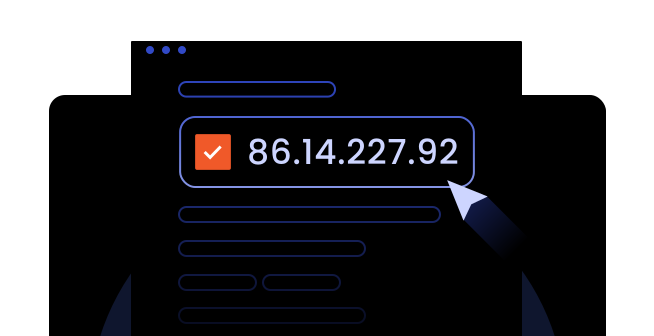
Set up your proxy in seconds — no terminal required
Copy any IP and port from the table above, then follow these steps. It works the same way on Windows, Mac, Chrome, Firefox, and Android.
- 1Open Start → ’Settings’ → ’Network & Internet’ → ’Proxy’
- 2Toggle ’Use a proxy server’ on
- 3Enter the IP and port from the table above
- 4Click ’Save’ - you're connected

Works with every tool in your stack
cURL, Python, Node.js, Selenium, Puppeteer, browser extensions - drop in the proxy string and go. No SDKs, no auth dance, no proprietary client.
$ curl -x 45.123.45.67:1080 https://api.ipify.org

> "45.123.45.67"


import requests

proxies = {"http": "45.123.45.67:1080"}

r = requests.get(url, proxies=proxies)
Premium Proxies Built for Real Work
When free proxies aren't enough, MarsProxies has you covered.
- Residential Proxies
 Starts fromEthically sourced IPs from real users with high success rates.
$1.65
/GB
- Datacenter Proxies
 Starts fromHigh-performance datacenter proxies with IPs reserved just for you.
$0.99
/proxy
- ISP Proxies
 Starts fromUltra-fast ISP proxies with consistent reliability.
$1.35
/proxy
- Mobile Proxies
 Starts fromReal mobile IPs compatible with all apps and systems, designed for everyday needs.
$8.49
/day



Frequently Asked Questions
Are free proxies safe?
Free proxies can be run by unknown parties who may log your traffic, inject ads, or expose your data. For sensitive tasks, such as scraping, account management, or any business activity, always use a trusted paid proxy service with a clear no-log policy.
How often is the free proxy list updated?
Every 30 minutes. Each proxy is automatically tested for uptime, latency, and anonymity level before appearing in the list. Dead proxies are removed in real time so you always get a working HTTPS or SOCKS proxy list.
What's the difference between HTTP, HTTPS, SOCKS4, and SOCKS5 proxies?
HTTP handles web traffic only, without encryption. HTTPS adds SSL encryption for secure sites. SOCKS4 handles any TCP traffic at a lower level. SOCKS5 is the most versatile - it supports TCP, UDP, authentication, and IPv6. See the types section above for a full breakdown.
What are transparent, anonymous, and elite proxies?
Transparent: the target server can see your real IP address.
Anonymous: hides your IP but reveals that you're using a proxy.
Elite (high anonymous): fully hides your IP and does not reveal proxy usage - the highest level of anonymity available in free proxies.
Can I use free proxies for scraping?
You can, but with significant limitations. Free proxies have high failure rates, low bandwidth, and are frequently blacklisted by target sites. For reliable data scraping at scale, residential or datacenter proxies are strongly recommended.
What's the fastest free proxy type?
HTTP proxies are generally fastest due to lower overhead. SOCKS5 proxies are slightly slower but far more versatile. For consistently fast proxies, a paid ISP or datacenter proxy plan will always outperform any free option due to dedicated bandwidth.
Can free proxies bypass school or work filters?
Sometimes, but results are inconsistent. Many free proxies are already blocked by common filter systems. For reliable access, a dedicated proxy will be more effective and stable.
The proxy is dead or offline?
Refresh the page and pick a new one. Our SOCKS and HTTPS proxy list updates every 30 minutes, so a fresh batch is never far away.
Connection is too slow?
Filter by ‘Fast’ in the table above. Free proxies are shared, so speed varies. For consistent throughput, switch to premium ISP proxies.
The site still sees my real IP?
You're using a transparent proxy. Filter by elite anonymity - transparent proxies forward your IP in headers.
The proxy is blacklisted?
Free proxies get blocked fast - they're shared by thousands. Premium residential proxies use real ISP IPs and are far harder to detect.
How to set up and use a free proxy?
Copy an IP and port from the table above, then enter them in your device or browser's proxy settings. The exact steps vary by platform.
- Windows: Start → ‘Settings’ → ‘Network & Internet’ → ‘Proxy’ → toggle on ‘Use a proxy server’ → enter IP and port → ‘Save’
- Chrome: ‘Settings’ → ‘System’ → ‘Open your computer's proxy settings’ → enter IP and port → ‘OK’
- Firefox: ‘Settings’ → ‘Privacy and security’ → ‘Connection and security software’ (‘Advanced settings’) → ‘Proxy Settings’ (‘Configure proxy’) → ‘Manual proxy configuration’ → enter IP and port → ‘OK’
- Mac: ‘System Settings’ → ‘Network’ → ‘Wi-Fi’/’Ethernet’ → ‘Details’ → ‘Proxies’ → enter IP and port → ‘OK’
- Android: ‘Settings’ → ‘Network & Internet’ → ‘Wi-Fi’ → tap your network → ‘Modify’ → ‘Advanced’ → ‘Proxy’ → ‘Manual’ → enter IP and port → ‘OK’
- iPhone: ‘Settings’ → ‘Wi-Fi’ → tap your network → ‘Configure Proxy’ → ‘Manual’ → enter IP and port → ‘Save’
- Linux: ‘Settings’ → ‘Network’ → ‘Wi-Fi’/’Ethernet settings’ → ‘Proxy’ tab → ‘Manual’ → enter IP and port
Once saved, your traffic routes through the proxy right away - no restart needed.
How to choose the right free proxy?
When it comes to free proxy servers, make sure they come from a reliable provider like MarsProxies. Since free proxy IPs are shared between numerous users simultaneously, they tend to be slower and get blacklisted faster. Therefore, check the anonymity level (elite for the highest privacy), match the protocol to your task, and filter by speed and location in the table above before picking the best free proxy server for you.
What are the best free proxy providers?
The best free proxy providers are the ones that verify their lists regularly and remove dead IPs in real time, like ours above. They should also be transparent about anonymity levels and not require sign-up or hidden fees. If you outgrow free or public proxies, MarsProxies offers paid plans with dedicated IPs for better speed and reliability.
How can I test free proxies?
Our free IP Lookup tool can confirm a proxy is live by showing its IP location - a quick way to see if it's working before you start using it. You can also connect through the proxy and visit a site like WhatIsMyIPAddress to confirm your IP has changed and check its location.