Key takeaways:
- Requests is the simplest tool to start with, write small scripts, and make synchronous API calls.
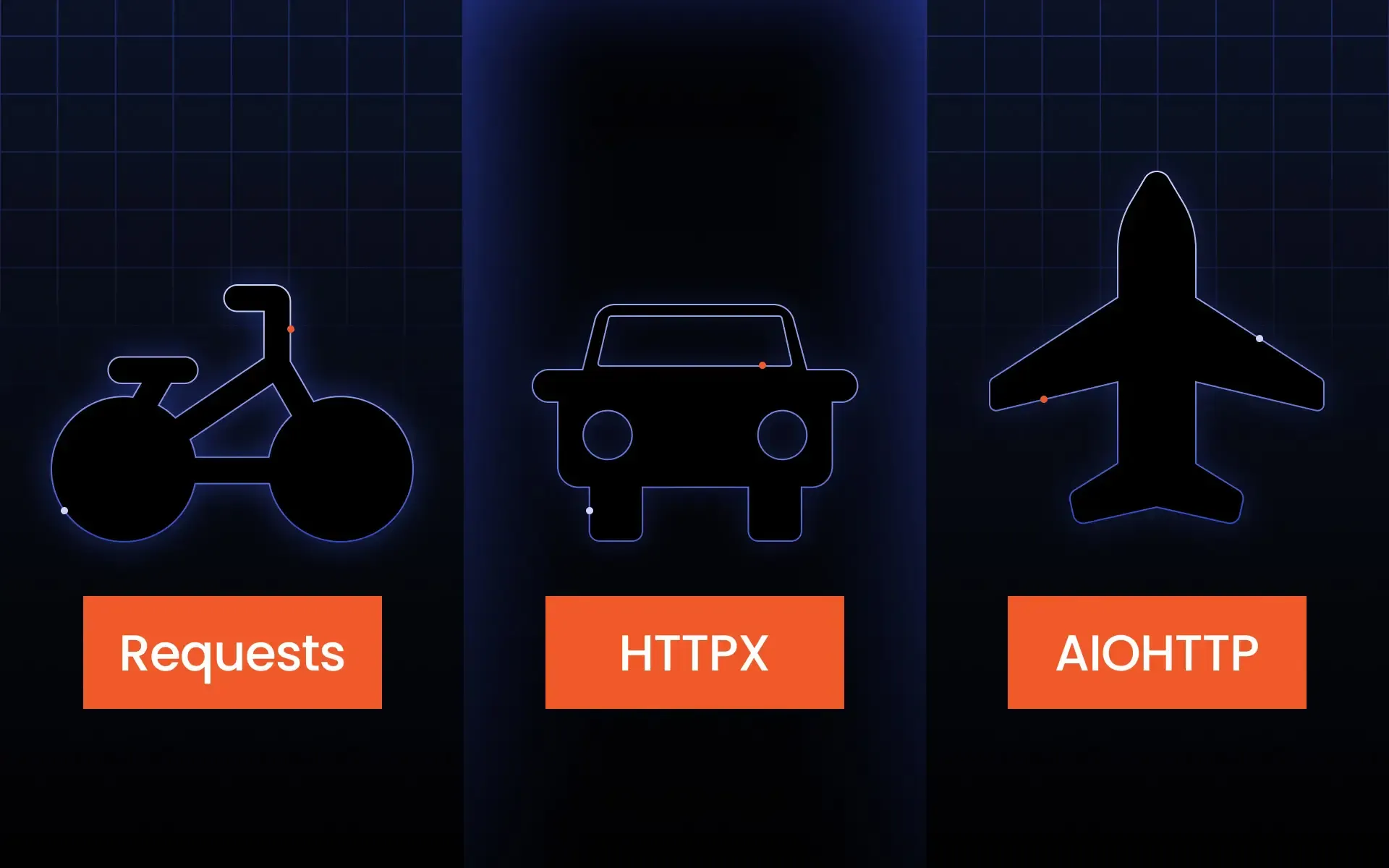
- HTTPX is the optimal middle-ground solution if you need an easy-to-understand API with modern async capabilities.
- AIOHTTP is the best fit for high-concurrency scenarios where your entire project relies on asyncio.
- Performance depends on your workload, not just the library name.
- For web scraping, the right choice depends on scale, proxy setup, target websites, and the number of pages you fetch at once.
Selecting among Requests, HTTPX, and AIOHTTP may be a bit challenging initially. The three libraries are all part of the Python library, and they are used to make HTTP requests. The main difference among them lies in their different purposes.
What is a Python HTTP client?
A Python HTTP client is a library that lets Python programs communicate with websites, APIs, and web services. Instead of opening a browser, your code sends HTTP requests directly to a server and receives responses in return. Those responses can include HTML pages, JSON data, images, files, status codes, headers, cookies, redirects, and errors.
Basically, such a client can be compared to a bridge that connects your code to the internet. If you use an API, perform web scraping, submit forms, monitor status endpoints, or download files, a client will communicate with the network on your behalf.
In the absence of these libraries, it would be more difficult to perform the HTTP request manually. This is because you would have to handle connections, encode parameters, deal with headers, parse responses, handle cookies, and handle timeouts on your own.
Most clients support standard HTTP methods such as GET, POST, PUT, PATCH, DELETE, HEAD, and OPTIONS. GET is usually used to fetch data, while POST is commonly used to send data. In web scraping, GET requests are especially common because scrapers usually retrieve pages and API responses. In API integrations, POST, PUT, and PATCH are also important because they create or update data.
Synchronous operations run one network task at a time in a direct sequence. This is easy to understand and debug. Asynchronous clients allow your program to start one network task, wait for the server, and use the resulting wait time to run other tasks. That approach is useful when making HTTP requests to many URLs because network latency often exceeds the actual Python processing time.
This is where HTTPX vs Requests becomes an important comparison. Requests keeps things simple and synchronous. HTTPX retains much of that simplicity while supporting both sync and async workflows. AIOHTTP goes further into asynchronous programming and is built for projects where asynchronous operations are central to the architecture.
HTTPX vs Requests vs AIOHTTP at a glance
Before going into details, here is a quick comparison of the three popular HTTP clients.
Requests
Yes
No native async
No native HTTP/2
Very easy
Good for simple workloads
Low
Great for small to medium scrapers
Great for standard REST APIs
HTTPX
Yes
Yes
Yes, optional
Easy to moderate
Strong for mixed workloads
Low to medium
Great for scalable scraping
Great for modern APIs
AIOHTTP
No direct sync API
Yes
No standard built-in client HTTP/2 focus
Moderate
Very strong for async workloads
Medium to high
Great for large async crawlers
Great for async applications
For a quick script, the Requests library is usually enough. For a newer application that might grow, HTTPX is often the safer choice. For a crawler, backend service, or data pipeline that depends on asynchronous operations from the start, AIOHTTP can be a better fit.
When to choose Requests library
The Requests library is one of the most common libraries within the Python ecosystem. This is because it’s easy to read, stable, and easy to teach. In case the main objective is sending HTTP requests without much consideration for the asynchronous patterns, Requests cannot be beaten.
The basic structure of a Request workflow involves the following steps:
- Importing the module
- Sending a request using either requests.get() or requests.post()
- Examining the status code
- Reading the response
This is what makes Requests an easy HTTP client for beginners to learn.
Advantages
The biggest advantage of Requests is simplicity. The API feels natural, and the code is easy to read even for people who are still learning Python. You can write a working request in a few lines, add headers with a dictionary, send query parameters, submit form data, or send JSON without a lot of setup.
Requests is also excellent for common API work. Many REST APIs provide examples using Requests because most Python developers understand it. If you are calling one endpoint, sending a token, reading JSON, and saving the result, Requests keeps the code short and clean.
Another advantage is ecosystem support. Because Requests has been widely used for years, there are many tutorials and examples on issues such as redirects, cookies, sessions, SSL errors, and proxies.
Requests also supports sessions, which help reuse connections and persist cookies across calls. This improves performance when repeatedly making HTTP requests to the same host. For example, a small scraper that visits different pages on one website can use a session to keep headers, cookies, and connection pooling in one place.
For web scraping, Requests pairs well with BeautifulSoup, lxml, and proxy services. It is often enough for scraping static pages, checking product prices, collecting public data, testing endpoints, or downloading small batches of pages. If the website does not require JavaScript rendering, a Requests-based scraper can be very effective.
Limitations
However, its major drawback is that Requests is a synchronous framework; it handles requests one by one unless you use additional packages such as threads or multiprocessing. It works fine for small scripts, but for large-scale asynchronous requests, it can be an issue.
For example, imagine you need to fetch 5,000 product pages. With a simple synchronous script, each request waits for the previous one to finish. Most of that time may be spent waiting for servers to respond. This makes the total runtime longer than necessary.
Also, Requests does not offer an async-native API. Concurrent applications can be written with Requests, but that would make the programming more complex. It might require a thread pool, retry logic, rate limiting, and proper connection management. If you were writing an application in the async way from the beginning, it might be hard to use Requests in your codebase.
Another limitation is that Requests focuses on HTTP/1.1. For many projects, this is fine. But if you need HTTP/2 features or want to test behavior against modern protocol setups, HTTPX becomes more attractive.
Finally, Requests is not always the best fit for large crawlers. You can build a strong scraper with it, but if the scraper needs to coordinate thousands of asynchronous operations, rotate proxies, respect rate limits, and handle many slow servers at once, a native async client may be more efficient.
Best for
Use the Requests library where simplicity is more important than having maximum concurrency. This is the right choice for beginners, tutorials, quick integration with APIs, simple automation, static web scraping, monitoring scripts, internal utilities, and testing.
Requests is also a good option when the rest of your code is synchronous. If you do not use asyncio elsewhere, adding a fully async library may introduce extra complexity without much benefit.
In short, Requests is best when you want reliable results with minimal setup. It may not be the fastest choice for every workload, but it is often the most practical one.
When to choose HTTPX library
HTTPX is often described as a modern alternative to Requests. It keeps a familiar style but adds features that matter for newer Python applications. In the HTTPX vs Requests discussion, the key point is that HTTPX offers a Requests-like experience while also supporting strictly asynchronous operations.
This makes HTTPX a strong option when you want a single library to handle both simple scripts and more advanced workflows. You can start with synchronous calls and later move parts of your project to async without switching to a completely different client.
Advantages
The biggest advantage of HTTPX is flexibility. It supports both synchronous and asynchronous requests, making it useful for teams working on different types of Python projects. A developer can write simple blocking code for a small task, while another developer can use the same library in an async service.
HTTPX also supports async, which is helpful when handling multiple requests to APIs or websites. Instead of waiting for one response before starting the next request, async code can schedule many network tasks and process them as responses arrive. This can improve throughput when the bottleneck is network waiting time.
Another advantage is HTTP/2 support. HTTP/2 can improve performance in some environments by changing how data is sent over a connection. Not every target website or API will benefit equally, but having the option is useful for modern clients.
HTTPX also includes strict timeout behavior, connection pooling, cookie handling, streaming responses, redirects, proxies, and a broadly Requests-compatible API. That last point is important. If your team already uses Requests, HTTPX does not feel completely foreign.
Using HTTPX can be a viable alternative when scraping data. This is particularly useful when you need more control over timeouts, proxies, connections, and even asynchronicity. When it comes to web scraping, one can begin with synchronous calls before progressing to asynchronous ones.
Limitations
HTTPX is more complex than Requests because it gives you more options. You need to understand when to use httpx.Client, when to use httpx.AsyncClient, and how to manage client lifetimes properly. Creating a new client for each request can waste resources, especially when making repeated HTTP requests.
Another limitation is that async does not automatically make every project faster. Asynchronous operations help most when the program spends a lot of time waiting on network I/O. If your script only calls two endpoints, the difference may be too small to matter. If your processing is CPU-heavy, async may not solve the main bottleneck.
The HTTPX library also needs additional attention while writing async code. It is necessary to implement the correct usage of async and await, close the clients correctly, and not mix blocking methods with async flow. It might take some time for newcomers to master it.
In some very async-focused applications, AIOHTTP may still be preferred because it was built around asyncio from the ground up and includes both client and server capabilities. If your project needs a deeply integrated, async web framework-style approach, AIOHTTP can feel more natural.
Best for
Go for HTTPX if you’re after an all-rounder Python client. It works great for API clients, scrapers, microservices, test suites, and even in situations where you might have to run some things asynchronously in the future.
HTTPX also happens to be an excellent option for organizations transitioning from Requests. While the API is similar to ease adoption, it has more features. If you are trying to decide between HTTPX and Requests for your next project, HTTPX is always the best option going forward.
It is not always necessary for smaller scripts. But for projects that may grow, need HTTP/2, or need both sync and async styles, HTTPX is one of the most popular HTTP clients available.
When to choose AIOHTTP library
AIOHTTP is different from Requests and HTTPX because it is built around asyncio. It is not trying to be a drop-in replacement for the Requests library. Instead, it is designed for asynchronous programming, async web clients, and async web servers.
That makes AIOHTTP powerful, but it also means you should choose it for the right reasons. It works best when your whole project is comfortable with asynchronous operations and event-loop-based design.
Advantages
The main advantage of AIOHTTP is performance in async-heavy workloads. When you need to send many asynchronous requests, wait for many responses, and keep the program responsive, AIOHTTP is a strong option.
AIOHTTP is especially useful for crawlers, bots, data collectors, monitoring systems, and backend services that need to handle multiple concurrent network tasks. Another advantage is that AIOHTTP supports both client and server features. You can build an async web server and make outbound requests from the same asyncio-based framework.
AIOHTTP also gives developers detailed control over sessions, connectors, timeouts, HTTP headers, cookies, streaming, and connection limits. For advanced users, this control can be valuable. You can tune the client to match your workload instead of relying on defaults.
For web scraping, AIOHTTP can be very effective when you need to crawl many pages, call APIs repeatedly, or keep thousands of network tasks moving. It can also work well with rotating proxies, request throttling, custom headers, and retry logic, though you need to implement those components carefully.
Limitations
Complexity is the primary limitation. AIOHTTP operates asynchronously, so you have to be familiar with asyncio to utilize AIOHTTP. The problem is that if you simply want to download a single file or make one API request, AIOHTTP may seem like an overly complicated solution.
Because it depends on async patterns, the code may be harder for beginners to read. You need to manage sessions with async context managers, await response methods, and structure your program around an event loop. This is not difficult once you learn it, but it is more demanding than a simple Requests script.
Yet another limitation of asynchronous code is the requirement for disciplined limitations. Sending thousands of requests simultaneously does not guarantee success. Rate limiting, retries, backoffs, proxy rotation, and adherence to website limitations are required. The more you speed up your client without them, the more you will fail.
AIOHTTP also may not be the best choice if your project needs both sync and async APIs from the same library. HTTPX is usually better for that because it supports both styles directly.
Best for
Choose AIOHTTP when your project is already async-first. It is a good fit for large crawlers, async APIs, background data pipelines, real-time monitoring tools, and services that handle many connections at once.
AIOHTTP is also a strong choice when the team understands asynchronous operations and wants low-level control over network behavior. It scales well, but it asks more from the developer.
Common mistakes when choosing a Python HTTP client
Choosing between these libraries is not only about speed. Many problems arise because developers choose a tool that does not suit the project. Here are the most common mistakes.
Choosing AIOHTTP for simple scripts
AIOHTTP is powerful, but power is not always what a small script needs. If you are making HTTP requests to one API endpoint, downloading a file, or checking a few pages, Requests or HTTPX will usually be easier.
Using AIOHTTP for a small task requires implementing asynchronous structure, working with an event loop, and learning additional notions. An inexperienced user interested in just getting familiar with status codes and parsing JSON will likely learn more easily using Requests.
A good rule is simple: choose the simplest tool that solves the problem. If the project grows later, you can switch to HTTPX or AIOHTTP when there is a real reason.
Ignoring async benefits
The opposite mistake is ignoring the benefits of async when your workload clearly needs them. If your scraper sends thousands of HTTP requests every hour, a purely synchronous design may waste a lot of time waiting for responses.
This is where asynchronous operations shine. They allow a single program to keep many network tasks in progress without creating a separate operating system thread for each request. For I/O-heavy work, asynchronous requests can improve throughput and resource usage.
That does not mean every scraper needs async. But if your workload includes many slow endpoints, many pages, or many APIs, it is worth testing HTTPX or AIOHTTP instead of defaulting to a blocking design.
Assuming faster means better
A more rapid result does not necessarily mean the library will be better for your application. Benchmarks do not often align with your precise targets for websites, proxies, retries, sizes, and rate limitations.
For instance, the speed of the fastest client in your local environment will not make any sense if the actual bottleneck is a slow website, an API rate limit, a proxy farm, or JavaScript rendering. In Python web scraping, success is mostly determined by how well you can do the aforementioned things.
A simpler tool can also be better if it reduces bugs. If a team understands Requests well and only needs small-scale API calls, switching to async may add difficulty without improving business results.
Overengineering small projects
Some developers will use an advanced framework since they know that their application will grow into something big one day. It is always good to look to the future, but overthinking might cost you time now.
If the initial version of your application will need to make only a couple of HTTP requests, keep it simple. Use well-written code and timeouts. Add async when you see that synchronous execution prevents your performance.
HTTPX is useful here because it offers a middle ground. You can begin with sync code and later introduce async workflows without leaving the library. This makes it easier to scale gradually.
All in all, requests, HTTPX, and AIOHTTP are all strong Python clients. Choose Requests for simplicity, HTTPX for flexibility, and AIOHTTP for async-first systems with high network concurrency.
If you are building a small scraper or API script, start with the Requests library. If the project may grow, HTTPX is a safe modern default. If you are building a crawler or service with many asynchronous operations, AIOHTTP deserves serious attention.
The main lesson is to match the tool to the workload. Simple projects benefit from simple clients, while large async systems benefit from clients designed for high-concurrency environments from the outset.
FAQ
Is HTTPX better than Requests?
Requests works best for simple scripts. On the other hand, HTTPX works better where an asynchronous mode, the HTTP/2 protocol, and a single client that can handle both synchronous and asynchronous requests are required.
Is AIOHTTP faster than HTTPX?
AIOHTTP can be faster in some async-heavy workloads, but real performance depends on your code, network, target servers, and concurrency limits.
Which Python HTTP client is best for web scraping?
For small scraping tasks, Requests is usually enough. In terms of scalable scraping, HTTPX is often a good balance. For large async crawlers, AIOHTTP can be the best choice.
Which library should beginners use?
Beginners should usually start with Requests. It is simple, readable, and widely documented. HTTPX is a good next step once you understand the basics.
Which library scales best?
AIOHTTP and HTTPX scale best for async workloads. AIOHTTP is strong for fully async systems, while HTTPX is better when you need both sync and async styles.