Twitter (which is now called X) remains a useful source of conversations, trends, opinions, and brand signals. Collecting data at scale is harder than making a few requests. This article outlines what a scraper API is, how it differs from the official Twitter API, which tools you should consider, and how you can set up a workflow for scraping Twitter.
This matters because X has tightened access restrictions and platform rules, while scraper APIs can handle collection, proxying, retries, and structured output for Twitter scraping. This can make the process of scraping Twitter easier.
What is a Twitter scraper API?
A scraper API is a service that allows your application to request public X pages or datasets via an API endpoint and obtain structured results. An effective Twitter scraper should take care of most of the aspects involved in collecting the data.
Rather than having to create a browser-based Twitter scraper all by itself, you simply make a request for a profile, a post, a search query, or another type of supported input. The company then manages the collection infrastructure and supplies you with the records you can use.
The key distinction lies in the way API access is provided. The official Twitter API is a developer interface that has authentication, permissions, and rate limits built into it, while a Twitter data scraping service gathers public content using its own infrastructure and then makes the results available via API access.
X also records HTTP 429 responses when an application goes over the limit of an endpoint or the usage cap.
Typical examples of its use are sentiment analysis, marketing research, monitoring competitors, academic research, tracking trends, and collecting topic signals from Twitter. With different providers, you are able to scrape tweets, profiles, hashtags, media, replies, reposts, views, and follower counts.
With Python, JavaScript, databases, and pipelines the results are generally provided in JSON format, while exports in CSV and Excel format make it easier to use data collected while scraping Twitter in analyst workflows.
How to choose the right Twitter scraper API
Since not all scrapers offer the same fields or scale, please check those areas before you subscribe.
Data coverage and types supported
Begin by selecting the records that are required. Defining a clear scope means that scheduling and auditing the process of scraping Twitter will be easier, and having metadata available makes it simpler to validate the Twitter scraping.
Some services might specialise in profiles and posts, while others are capable of gathering search results, threads, replies, followers, media, or date-filtered results. It's important to check the fields and limits rather than assuming that all providers support the same Twitter data.
Scalability and reliability
A test might be carried out using only a few hundred requests, whereas production-scale scraping of Twitter could involve thousands or even millions of results. You should look for concurrency controls, retry mechanisms, proxy infrastructure, and well-defined timeout settings. It is important to ensure reliability since repeated failures lead to engineering costs.
Ease of integration
The API access you choose should be suitable for your current application and each individual API call should have a clear and predictable result. You should look for REST endpoints, SDKs, documentation, and working code examples since Python is often used because it requires only a small amount of code for collection and storage.
Export formats and pricing
Look at the prices on the basis of the unit that is important to you—such as requests, results, API credits, or compute. Scrapingdog lists its Twitter endpoint at five credits per request, while Bright Data provides 5,000 free records each month and has a pay-as-you-go rate of $1.50 per 1,000 records.
Apify has a flexible platform structure, offering a free plan which includes $5 of usage for Actors and having separate pricing for single scraper Actors. Similarly, ScrapingBee and ScraperAPI use a credit-based system with free trials and paid levels.
Legal, ethical, and compliance considerations
The fact that something is public does not mean that it is open without restriction. The current Terms of X state that users are not allowed to scrape the Services unless they obtain express written permission and also ban access to the Services outside of its published interfaces unless separately authorized.
Privacy laws can also come into play if the dataset contains details about identifiable individuals. In the European Union, the GDPR principles are lawfulness, purpose limitation, data minimisation, storage limitation, and accountability.
Before scraping Twitter, you should look at the platform's terms, the laws in your jurisdiction, and your intended use.
Top Twitter scraper APIs
The tool you need will be determined by the type of data you have, the volume involved, and your infrastructure requirements; it is also important that your Twitter scraper matches the speed and depth of the project.
Scrapingdog
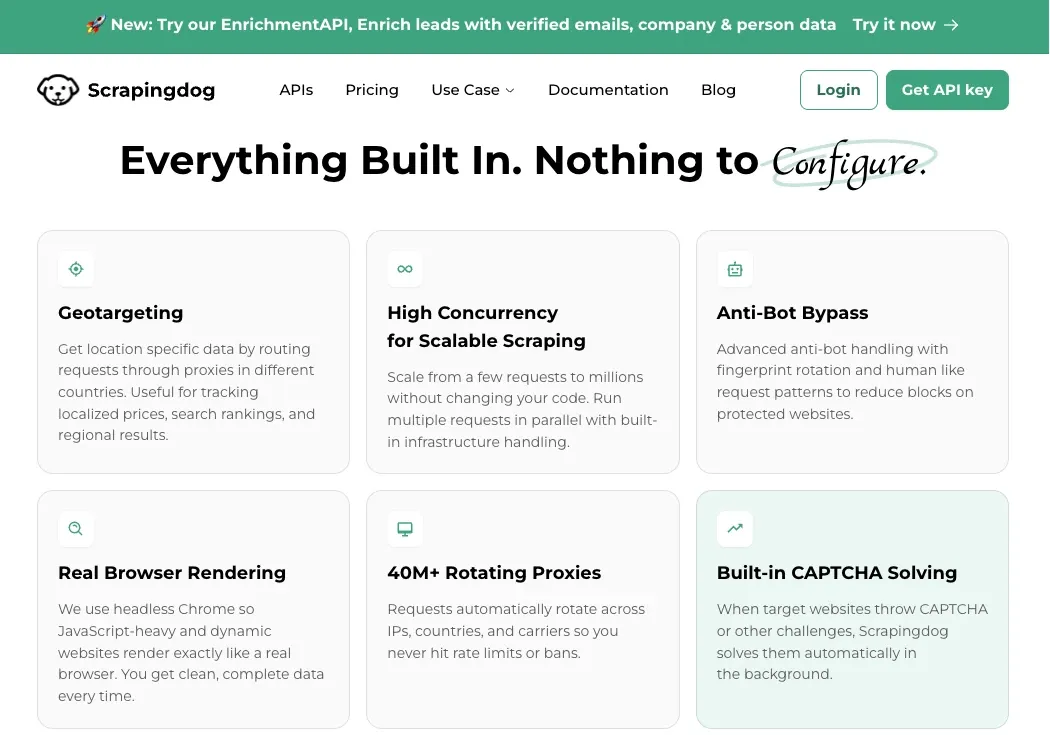
Scrapingdog has dedicated endpoints for profiles and posts; on its current pricing page, five credits are charged per request for the Twitter service, although the effective price decreases at higher volumes.
Its greatest strength lies in how easy it is to set up; the Twitter scraper can easily be incorporated into a brief workflow. Scrapingdog offers a free tier (100 requests credits, no concurrency), while the Lite plan (200,000 credits, 5 concurrency) costs $40/month.
Bright Data
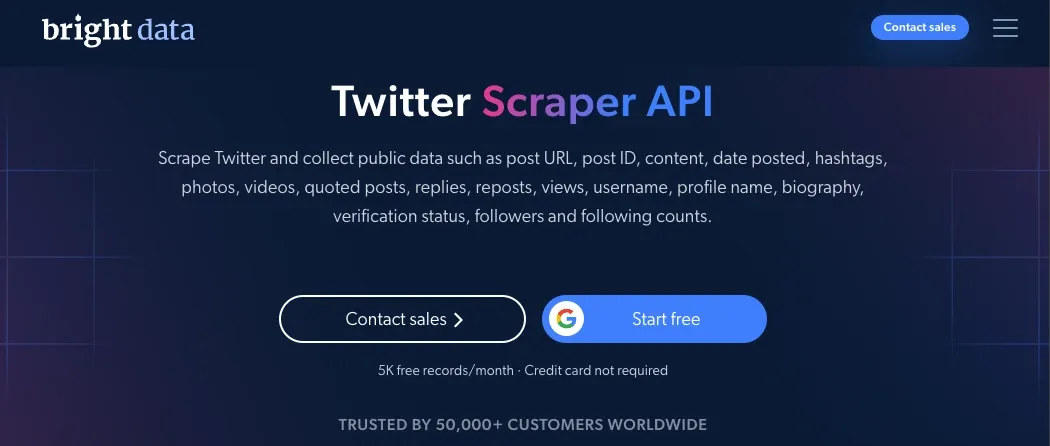
Bright Data provides dedicated X scrapers for posts and profiles, with supported fields comprising post content, hashtags, media, replies, reposts, views, profile details, and follower counts. The pricing page currently shows 5,000 free records each month and a pay-as-you-go rate of $1.50 per 1,000 records.
It is suitable for larger workflows where both concurrency and managed infrastructure are important; a Twitter scraper can scale in such a situation.
Apify
Apify is a platform, not a single scraper, meaning that you have the choice of using various Twitter scraper Actors. The prices differ according to the Actor and the billing model, and Apify provides a free plan with $5 of usage.
You are able to test the implementations, schedule runs, use webhooks, and connect the results to other services. The Starter plan costs $19/month ($0.2 per compute unit) with chat support and a store discount for Apify store addons included.
ScraperAPI
ScraperAPI includes features for handling proxies, carrying out retries, and providing structured data. The documentation provides structured Twitter endpoints for carrying out searches and for collecting data at the tweet level, the output of which is JSON rather than raw HTML. This can lessen the amount of work required to extract the data and to normalise the tweet data.
The price is $49 per month for 100,000 API credits, together with free credits and a trial for testing purposes. The service is suitable for teams who want both general web scraping and Twitter data within a single solution, including the ability to scrape Twitter data for mixed-source projects.
ScrapingBee
ScrapingBee is not a product that is specific to Twitter but rather a general web scraping API. It provides features such as proxy rotation, JavaScript rendering, retries, and extraction rules, and is able to return structured results.
The plans begin at 19 dollars per month for 75,000 credits, including 1,000 free credits for testing purposes. Using it for scraping Twitter is reasonable when X is one of the various sites in your workflow. It is also useful for teams that scrape data from multiple domains.
How to use a Twitter scraper API
A pipeline for Twitter scraping is:
- Define a source, such as a profile, search query, or post URL
- Send the request
- Validate and normalize the response
- Store the results
- Schedule the job and monitor errors
Here is a generic Python example:
import os
import requests

API_KEY = os.environ["TWITTER_SCRAPER_API_KEY"]

params = {
    "api_key": API_KEY,
    "query": "web scraping",
    "num": 50,
}

response = requests.get(
    "https://example-scraper-api.com/twitter/search",
    params=params,
    timeout=30,
)

response.raise_for_status()
data = response.json()

for item in data.get("tweets", []):
    print(item.get("text"))
The names of the endpoints vary from provider to provider, so you should refer to the most up-to-date documentation. You need to log in, ask for a specific slice, check that it is valid, and then extract the Twitter data into the fields that are required.
When carrying out scheduled scraping of Twitter, include pagination and a checkpoint; use exponential backoff in the case of temporary failures and keep an eye on 429 responses. The platform known as X uses the 429 response code when a request limit or posting limit has been exceeded.
Proxies are also part of the stack; a managed Twitter scraper can make use of them, whereas a custom arrangement might employ a rotating residential pool. According to MarsProxies' guidance for 2026, rotating residential proxies are commonly used when scraping Twitter and they do not take the place of request pacing or platform limits.
In more advanced projects, you might go beyond scraping posts and include hashtags, threads, media URLs, reply chains, profiles, and followers. The Twitter scraper could then normalise these records, thus enabling more comprehensive Twitter scraping.
It could then pass the records on to the analysis stage. Whenever you extract data for the purpose of analysis, you should normalize the IDs, the dates, the author fields, and the interaction metrics so that downstream systems are able to compare the records consistently.
Scrape Twitter Data Without Blocks in 2026
Start scrapingCommon pitfalls and how to avoid them
It is a common situation. When a scraper begins to fail, you should check the IP's reputation, the frequency of the requests, the behaviour of the session, and any changes in the response.
Another frequent problem when scraping Twitter is rate limiting. A properly configured Twitter scraper should reduce the speed at which it makes requests rather than repeatedly attempting them at full speed. It should slow down the rate of the requests, comply with retry-after signals when they are available, and use pagination rather than sending out large bursts.
Incomplete data can be more difficult to detect. Although a Twitter scraping request might succeed it could return fewer records since the search has changed, the account has become unavailable, or the endpoint has a result limit. It is necessary to log both the number requested and the number returned.
Maintenance is also important when it comes to ongoing Twitter scraping since X may alter page behaviour and access requirements; therefore, you should keep an eye on the response schemas and test the key fields during Twitter scraping. The Twitter scraper should be kept under version control.
Finally, collect only what you need and set retention rules for classified information.
Conclusion
A scraper API can simplify public-data collection by putting scraping infrastructure behind a standard API interface. The key is to match the provider to your data coverage, scale, integration needs, and compliance requirements.
Scrapingdog, Bright Data, Apify, ScraperAPI, and ScrapingBee take different approaches. Compare endpoints, pricing units, exports, reliability, and maintenance before building a long-term workflow.
FAQ
Is it legal to use a scraper API?
Legality depends on the data, jurisdiction, intended use, and platform-specific terms. X’s current Terms forbid scraping “unless expressly authorized in writing,” whereas privacy laws like GDPR apply when processing personal data.
What data can a scraper API extract that the official API doesn’t?
This depends on what the provider offers. Some providers offer public page information, such as profiles, posts, hashtags, replies, media, views, and followers, using formats or combinations of formats different from those used by the official API.
How much does a scraper API cost?
Examples include Scrapingdog at five credits per request, Bright Data at $1.50 per 1,000 records, ScraperAPI from $49/month, and ScrapingBee from $19/month. Apify varies by Actor.
Can you scrape historic tweets with a scraper API?
Sometimes, but historical coverage depends on the provider, endpoint, and available source data. Check whether the scraper supports date filters, archive data, or search-based collection before assuming any time range is available.
How do you integrate a scraper API into a data pipeline?
Use the API as the collection layer: send authenticated requests, paginate through results, validate and normalize the response, store records, then schedule recurring runs and monitor errors. Webhooks or batch jobs can connect output to databases and analytics systems.