Key takeaways:
- Scraped proxies are not necessarily working proxies, so you still need to test them.
- Some proxy scrapers combine scraping and proxy checking in the same tool.
- The best proxy scraper depends on the features you need.
Finding and copying IP addresses gets tedious fast, especially when you need hundreds or thousands of them. Proxy scrapers streamline this process by automatically collecting IP addresses and ports from public proxy lists and other sources.
Keep reading to find out how a proxy scraper works, what it can do for you, and where it can fall short.
What is a proxy scraper?
A proxy scraper is a tool that visits proxy sources online, extracts IP addresses and ports for you, and can remove duplicates before saving everything to a file.
It's a great tool when you need a steady supply of proxies for web scraping and don't want to manually visit dozens of proxy list websites to copy IPs and save them to a file.
Here are a few reasons why a consistent source of IP addresses is essential for scraping, especially at scale:
- Your target website may display different data depending on your location, which is why you may need proxies in a specific location to scrape the data you want.
- The target platform probably uses anti-bot detection systems to watch request frequency from any single IP, among other signals, such as browser characteristics. Rotating your requests across a pool of IPs can help you avoid detection while reducing throttling and IP bans.
- Even with a single proxy, there are plenty of failure points. Keeping multiple IPs available gives your scraper somewhere else to send requests when one proxy stops working.
A proxy scraper takes much of the work out of finding free proxies or collecting IPs from custom sources. Once set up, the tool collects data from the sources it has been given, which could include:
- Public proxy list websites
- Text files containing proxies
- APIs that expose free proxy lists
- GitHub repositories with updated proxy lists
- Custom URLs that you provide
It then looks for proxy entries in a specific format, copies them, and saves the list in your chosen format. But even if your proxy scraper finds 5,000 proxies, that does not mean you now have 5,000 usable ones.
Some may already be offline or reject connections. Others may take too long to respond, or fail to support the protocol you need.
That is why you should pair your proxy scraper with a proxy checker if the tool does not already include one. The checker takes the candidates from your proxy scraper and tests them.
Depending on the tool, it may:
- Connect through the proxy to a test website
- Check whether the request succeeds
- Measure the response time
- Test which protocols the proxy supports
- Check which IP address the destination sees
- Keep or discard the proxy based on the results
Suppose your checker finds 300 working proxies from the original list of 5,000. You can then select only those from a specific location, rotate those proxies in a certain order, or control how requests are distributed across them.
That is where a proxy manager comes in. It can help you organize and rotate your proxy servers, which route requests between your scraping tool and the target website, while monitoring how they are used.
How does proxy scraping work?
The simplest way to understand how a proxy scraper works is to think of it as an automated collector of proxy addresses.
You give it places where proxy lists are published, such as free proxy list websites or API feeds. The scraper then visits those sources and looks for proxy entries that contain an IP address and port. It extracts those entries and builds a proxy list for you. If the same proxy appears in several sources, the tool can remove the duplicates before saving the list.
Automation is one of the things that makes a proxy scraper useful. Instead of going back to the same sources yourself, you can have the scraper revisit them on a schedule. Each run can collect newly published proxies and update your old list.
Here are some of the key features to look for in a proxy scraper:
- Support for multiple proxy sources
- The ability to add custom source URLs
- Automatic duplicate removal
- Support for different proxy protocols
- Scheduled scraping and automatic refreshes
- Filtering by factors such as country or protocol
- Export to formats such as TXT, CSV, or JSON
Best proxy scraper tools for web scraping
Now that you know what a proxy scraper is and how it works, let's look at some of the best free and paid options you can use right now.
iw4p Proxy Scraper
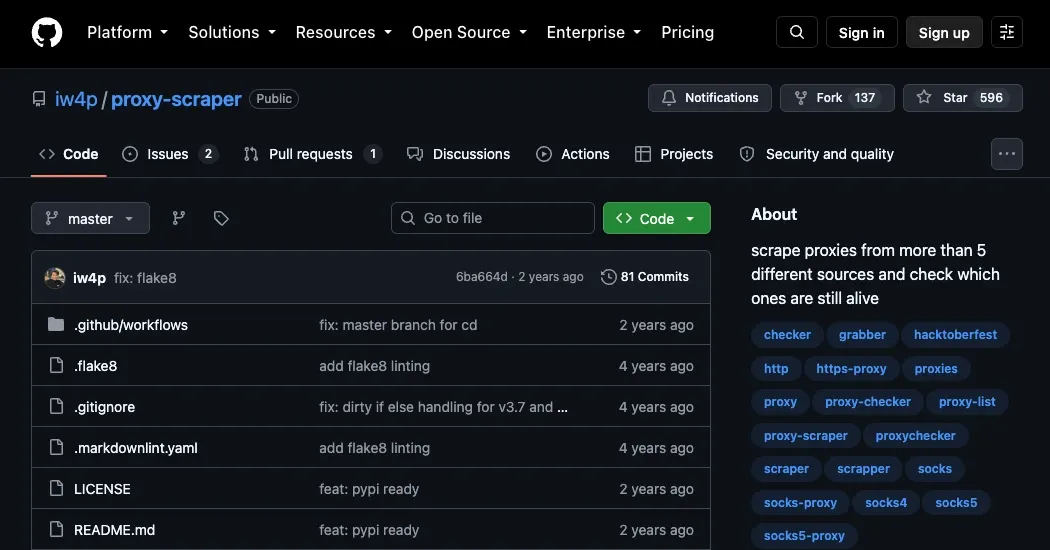
iw4p Proxy Scraper is a free Python project that can help you scrape public proxies and check which ones are still working. It is an open-source project under the MIT license, and you can install it from PyPI as proxyz or run the Python source directly.
Use this shell command to install iw4p Proxy Scraper:
pip install proxyz
This tool supports proxy scraping from the following preconfigured sources:
- sslproxies.org (HTTP, HTTPS)
- free-proxy-list.net (HTTP, HTTPS)
- us-proxy.org (HTTP, HTTPS)
- socks-proxy.net (SOCKS4, SOCKS5)
- proxyscrape.com (HTTP, SOCKS4, SOCKS5)
- proxy-list.download (HTTP, HTTPS, SOCKS4, SOCKS5)
- geonode.com (HTTP, HTTPS, SOCKS4, SOCKS5)
Pros:
- Supports scraping HTTP, HTTPS, SOCKS4, and SOCKS5 proxies
- Can scrape several sources concurrently
- Automatically removes duplicate results
- Includes a separate proxy checker
Cons:
- No built-in scheduler
- No graphical interface
- No support for custom proxy sources
- monosans proxy-scraper-checker
monosans proxy-scraper-checker
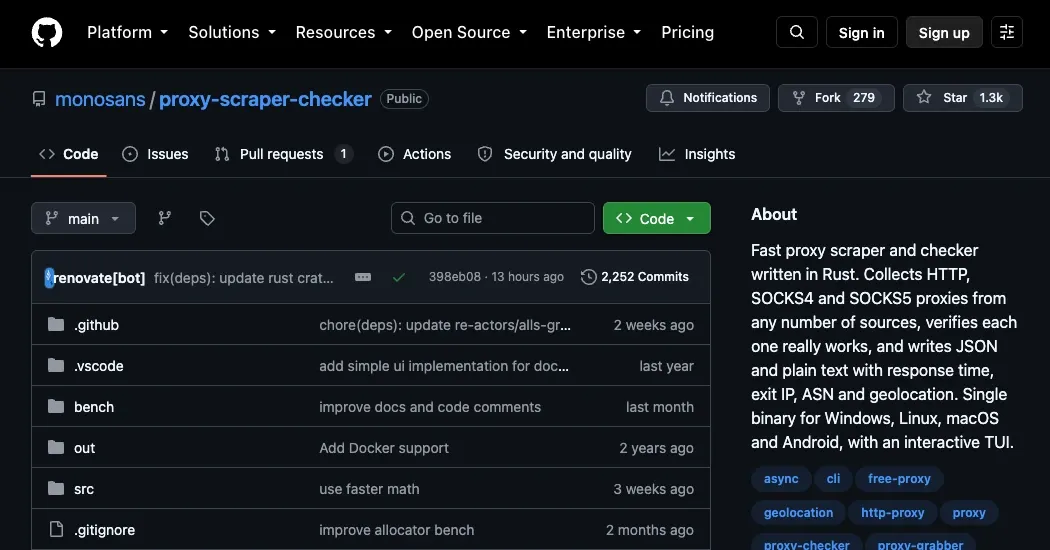
The monosans proxy-scraper-checker is a free, open-source tool built for scraping and validating proxies.
It is written in Rust and released under the MIT license. You can use it to collect HTTP proxies as well as SOCKS4 and SOCKS5 proxies from preconfigured sources and custom sources you add yourself.
To install it, download the prebuilt archive for your operating system, extract it into a folder, edit the config.toml file, and then run the executable.
Pros:
- Supports custom and authenticated proxy sources
- Includes built-in proxy checking
- Provides response time, the exit IP, ASN, and location data
- Works on Windows, Linux, macOS, and Android
Cons:
- No graphical interface
- Requires some manual configuration
- No built-in scheduler
- GSA Proxy Scraper
GSA Proxy Scraper
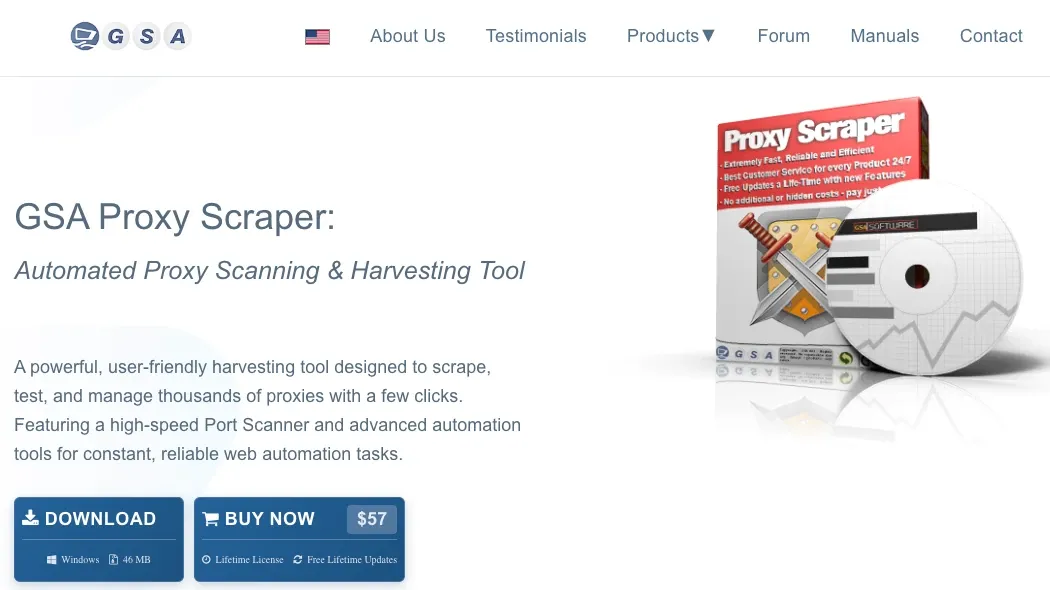
GSA Proxy Scraper is a paid Windows desktop application for finding and managing proxies. It maintains a list of sources that it uses to scrape proxies, then lets you test, filter, retest, export, and rotate the working results.
Unlike the free proxy scrapers above, GSA also supports scheduled scraping and testing. You can filter proxies by location, proxy type, port, and other factors.
To install it, download the Windows installer from the GSA website and run the setup file.
Pros:
- Includes built-in proxy checking
- Supports scheduled scraping and testing
- Lets you add custom proxy sources
- Includes a local rotating proxy server
Cons:
- Only works on Windows
- Not free
- Not for those who need a basic proxy scraper
ProxyGather
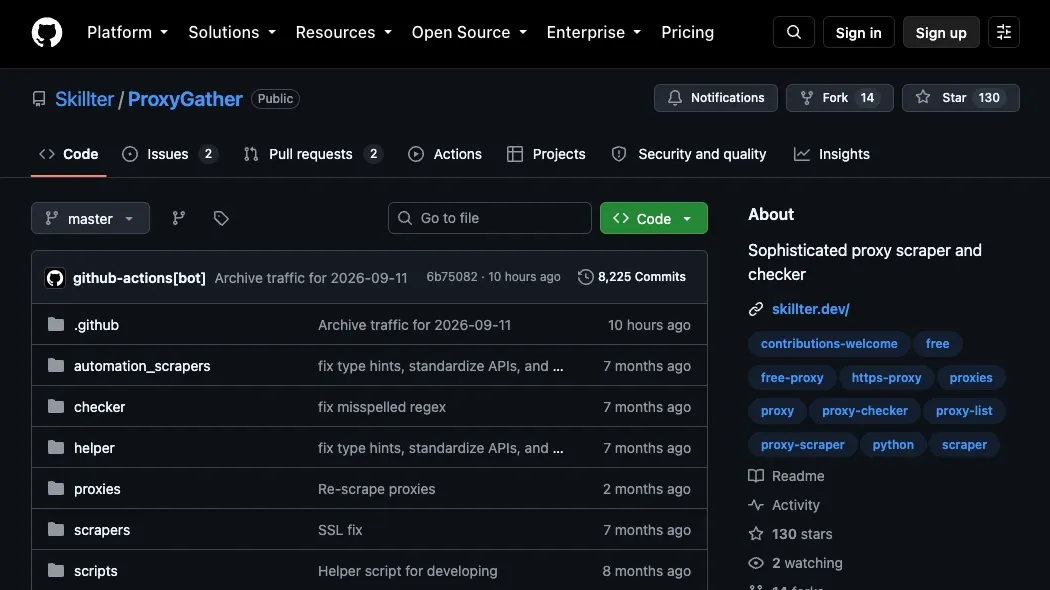
ProxyGather is a free, open-source Python proxy scraper and checker. It collects publicly listed proxies and saves separate working lists for HTTP, SOCKS4, and SOCKS5. The project's published proxy lists are refreshed every 30 minutes through GitHub Actions.
ProxyGather supports several sources, including ProxyScrape, ProxyDB, ProxyNova, and others. You can also add your own URLs by editing its configuration file.
To install it, clone the GitHub repository and install the required packages:
git clone https://github.com/Skillter/ProxyGather.git
cd ProxyGather
pip install -r requirements.txt
Then run:
python ProxyGather.py run
You can scrape proxies and check them separately, or use its unified mode to check proxies as the tool scrapes them.
Pros:
- Supports HTTP, SOCKS4, and SOCKS5
- Includes a built-in proxy checker
- Lets you add custom proxy sources
- Can scrape many sources concurrently
- Publishes working proxy lists that refresh every 30 minutes
Cons:
- No graphical interface
- Your local installation does not include a built-in scheduler
Proxy Buddy
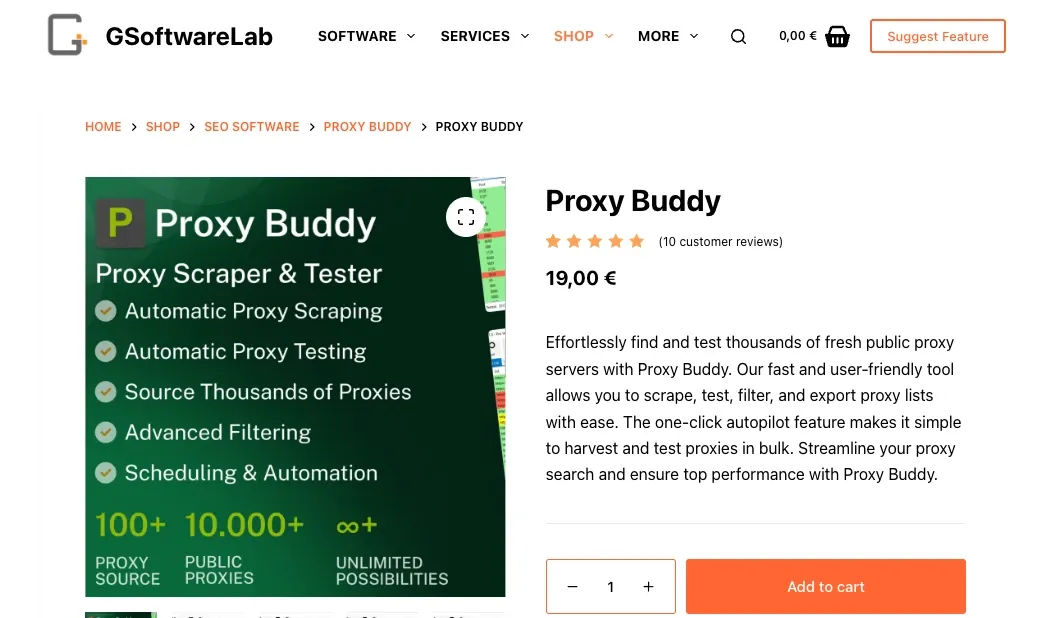
Proxy Buddy is a paid Windows desktop application that lets you scrape public proxies, test and filter them, and update your proxy lists. You can also schedule these tasks to repeat automatically.
The proxy scraper includes a built-in proxy checker that can measure a proxy’s response speed, identify its country, and check its anonymity level and other details. It even lets you test whether the proxy can perform a Google search.
To install it, purchase the software and download the Windows application using the link in your customer account.
Pros:
- Built-in scheduler
- Autopilot can scrape and test proxies for you
- Includes built-in proxy checking
- Supports HTTP, HTTPS, SOCKS4, and SOCKS5
- Lets you add custom proxy sources
- Has a graphical interface
Cons:
- Not free
- Only available for Windows
- Not for those who need a basic proxy scraper
- Still relies on public proxies
How to use a proxy scraper (step-by-step guide)
- Step 1: Choose a tool
You have both free and paid options. Many free proxy scrapers are command-line tools, while paid options often come with a graphical interface. Compare their features before choosing one.
- Step 2: Input your proxy sources
Depending on the tool you choose, you can use its preconfigured proxy sources or add your own custom URLs.
- Step 3: Start scraping and filter the results
Run the proxy scraper to collect the proxy addresses, then filter the results based on what you need if the tool supports it.
- Step 4: Test the proxies
Use the built-in proxy checker to test whether the proxies are working. If your proxy scraper does not include one, you can use a separate proxy checker.
- Step 5: Export and use the proxies
Once you have a filtered and tested proxy list, export it and configure your web-scraping tool or script to use the proxies.
How to choose the right proxy scraper
The best proxy scraper for your workflow is the one that checks all or most of your boxes. Here are some factors to keep in mind when choosing a proxy scraper:
- Proxy freshness
Check whether the proxy tool supports scheduled scraping or automatic refreshes. If it does not, you will need to rerun it yourself or use an external scheduler.
- Proxy checker support
Confirm whether the proxy scraper tests the proxies or whether you will need to use a separate proxy checker.
- Source flexibility
Choose a proxy scraper that supports both preconfigured and custom sources, so you can add your own URLs the tool does not already include.
- Filtering options
If you need proxies from a specific country, protocol, or speed range, make sure the scraper supports those options.
- Free vs. paid options
Go for free options if you're comfortable scraping proxies from the command line. Paid options have more advanced features such as scheduling, a graphical user interface, and customer support.
Skip Dead Free Proxies and Scrape Reliably in 2026
Get residential IPsFree vs. paid proxies
It is also important to remember that free proxies obtained through proxy scrapers can be insecure, slow, and unreliable compared to paid, dedicated proxies. Consider the paid options below:
- Residential proxies are often considered the best for scraping due to their high anonymity and lower chance of being blocked. Use residential proxies when scraping sensitive websites, bypassing geo-restrictions, or reducing the risk of IP bans.
- Datacenter proxies are sourced from data centers and are typically faster and more affordable than other types.
- Mobile proxies use IP addresses assigned to mobile devices, making them useful for scraping mobile-specific content.
- Dedicated proxies offer IPs used by one user at a time. Choose them for higher speeds and stable connections.
- Shared Proxies are used by multiple users, making them more affordable but less reliable.
- SOCKS5 Proxies support any traffic and offer better performance and security for various protocols.
Conclusion
To sum it all up, proxy scrapers automatically collect proxy addresses from public lists and custom sources. They may also filter and test the collected proxies, then export them to a file to be used for whatever task at hand.
You can opt for free or paid scrapers, depending on the features you want and whether you're comfortable working with command-line tools. For more tips on working with proxies, join our Discord channel.